

Structured Cabling Project Planning for Office Moves
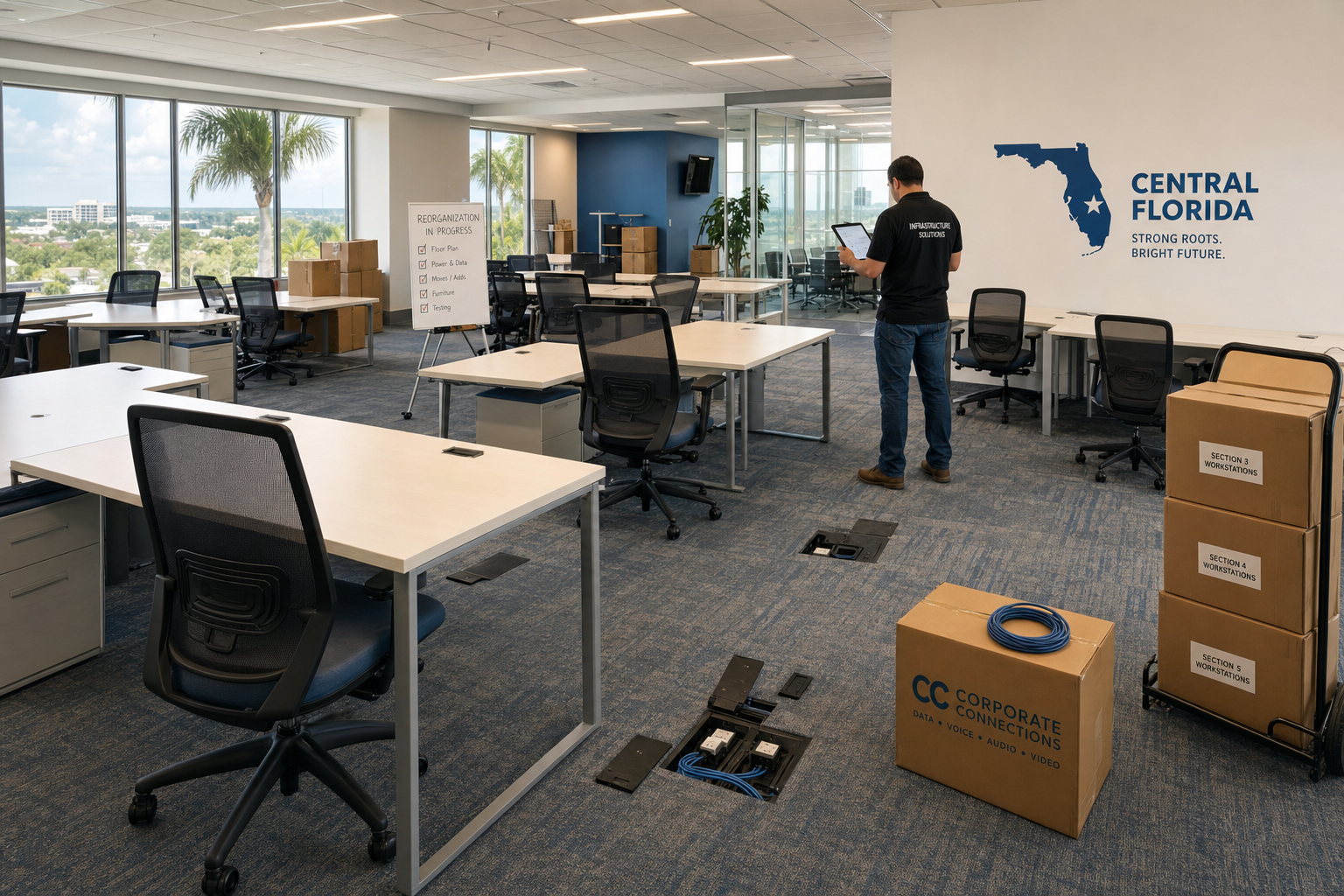
Thirty desk moves sounds manageable until you realize every workstation needs a live data drop, every VoIP phone needs a clean connection, and nobody documented where the cables actually go. If your Central Florida office is growing and you are reorganizing the floor plan, structured cabling project planning is the step that keeps the whole move from turning into a week of outages and finger-pointing. This guide walks you through exactly what to do before, during, and after a large-scale desk reorganization.
Who This Is For
This guide is a good fit if you are:
- An office manager or operations lead overseeing a workspace reorganization of 30 or more desks
- A business owner in Central Florida whose company is growing and needs to reconfigure the floor plan
- Managing a hybrid office where some desks are being consolidated and others are being added
- Dealing with a network closet that has never been properly labeled or documented
- Running VoIP phones that need to move with the desks without losing extensions or call quality
This guide is NOT a good fit if you are:
- Moving fewer than five desks with no floor plan changes — a simple patch cable swap may be all you need
- In a brand-new build where cabling was installed to spec and fully documented — your project is a configuration task, not a cabling project
- Looking for a DIY walkthrough — this guide helps you plan and scope the work, but a 30-desk cabling project requires licensed, experienced technicians on-site
Your Options: Cabling Approaches Compared
Before you start calling vendors, it helps to understand what your realistic options look like for a project of this size.
| Approach | Best For | Risks for 30+ Desk Moves | Documentation | VoIP + IT Coordination |
|---|---|---|---|---|
| Local managed IT + cabling team (Mynians) | Growing Florida businesses that want one accountable team | Low — single point of contact, pre-move audit included | Full labeling and as-built records | Yes — IT, VoIP, and cabling handled together |
| National cabling contractor | Large enterprise rollouts with standardized specs | Medium — local follow-up support is slow or costly | Varies by contract | No — IT and VoIP are separate engagements |
| In-house IT staff only | Minor patch cable moves at a single workstation | High — most in-house teams lack cable certification tools | Often incomplete | Partial — IT yes, physical cabling usually not |
| Break-fix electrician or handyman | Basic outlet work | Very high — no network testing, no documentation | None | No |
| Separate cabling, IT, and VoIP vendors | Situations where no bundled option exists | High — finger-pointing when something does not work | Fragmented across vendors | Requires manual coordination between three teams |
Why 30 Desks Is the Tipping Point
Small desk moves — three or four workstations — can often be handled by swapping patch cables at the panel and calling it done. Once you cross 30 desks, the math changes completely.
At that scale, you are almost certainly dealing with desks moving to areas of the office that do not have existing data drops. You are dealing with a patch panel that may have unlabeled ports from the last three office reconfigurations. You are dealing with VoIP phones that need to land on the right VLAN or they will drop calls. And you are dealing with a managed switch that may not have enough active ports for the new layout.
Offices in Orlando, Winter Garden, and the surrounding Central Florida area that have grown quickly often have cabling infrastructure that was installed in phases with no consistent documentation. A 30-desk move exposes every one of those gaps at once.
The businesses that handle this well are the ones that treat the desk move as a cabling project first and a furniture project second.
Step 1: Run a Pre-Move Cabling Audit
The audit is the foundation of the entire project. Without it, you are guessing — and guessing on a 30-desk move is expensive.
What a proper cabling audit covers:
- Port-by-port patch panel inventory: Every port labeled, every run traced to its wall jack or floor box
- Cable category verification: Confirming whether existing runs are Cat5e, Cat6, or Cat6A and whether they can support your current and near-future bandwidth needs
- Dead port identification: Ports that are patched but not connected to anything active — common in offices that have reorganized before
- Physical condition check: Cables that have been pinched, stapled incorrectly, or run through areas with interference sources
- Switch capacity review: Confirming your managed switch has enough ports and that VLANs are configured correctly for voice and data separation
BICSI, the professional association for information and communications technology, publishes installation standards that define what a properly documented cabling system should look like. Referencing BICSI standards gives you a benchmark for what your audit should produce.
Step 2: Map the New Floor Plan Against Existing Infrastructure
Once you have a clean audit, overlay your new desk layout on top of it. For each desk position in the new floor plan, you need to answer one question: does a live, tested, labeled data drop exist within a reasonable cable run of that position?
If the answer is yes, that desk is ready. If the answer is no, that desk needs a new run before move day.
What to account for in the mapping:
- Each workstation typically needs at least one data port, and two is better for users with a desktop and a VoIP phone on separate drops
- Conference rooms being added or relocated need data drops for displays, video conferencing equipment, and any wireless access points being hardwired
- Reception desks often need three or more drops — phone, computer, and a spare
- Any new wireless access points in the reconfigured space need a hardwired uplink run to the nearest switch or IDF closet
This mapping step is where you generate your new-run list — the specific cable runs that need to be pulled, terminated, and tested before desks arrive in their new positions.
Step 3: Plan New Runs and Terminations
New cable runs in an occupied office require planning around two things: the physical path the cable needs to travel and the schedule that keeps disruption to a minimum.
Physical path considerations:
- Ceiling plenum vs. conduit: Most commercial offices in Florida route horizontal cabling through the ceiling plenum. Confirm with your building management whether plenum-rated cable is required — in most cases it is.
- Distance limits: Horizontal cabling runs have a maximum distance of 90 meters from the patch panel to the wall jack under TIA-568 standards. Offices with large floor plates need to account for this when planning IDF locations.
- Bundling and separation: Data cables should not run parallel to high-voltage electrical for extended distances. Your cabling team should route accordingly.
Scheduling considerations:
- New runs should be completed and tested before furniture moves, not after
- Schedule cabling work during off-hours or on weekends if the office cannot afford downtime during business hours
- Confirm that ceiling access is available — some Florida commercial buildings require advance notice to facilities management before ceiling tiles are moved
IEEE publishes networking standards that inform how structured cabling systems are designed to support modern Ethernet speeds. Reviewing IEEE 802.3 standards gives context for why cable category and run quality matter for performance.
Step 4: Clean Up the Patch Panel and Network Closet
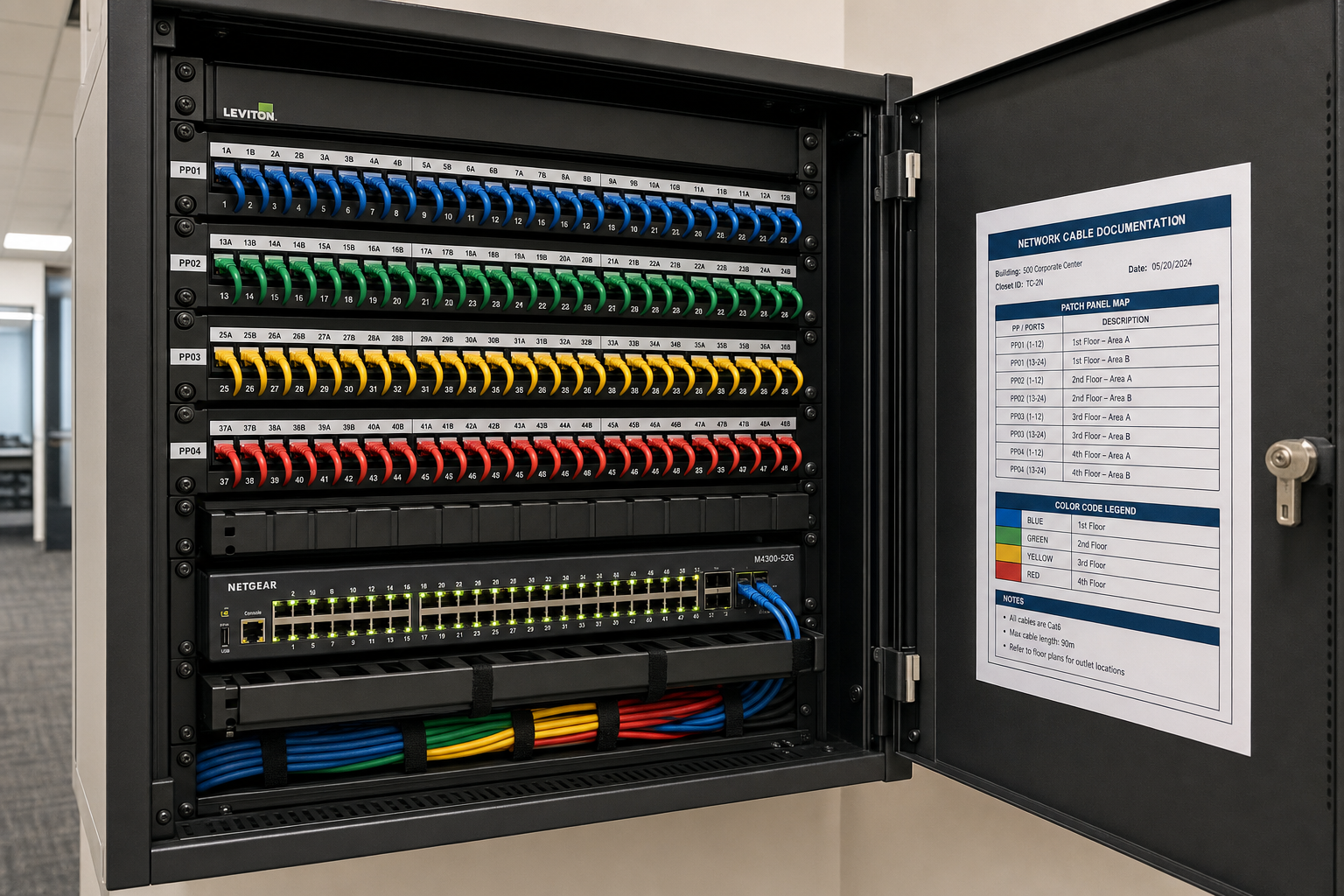
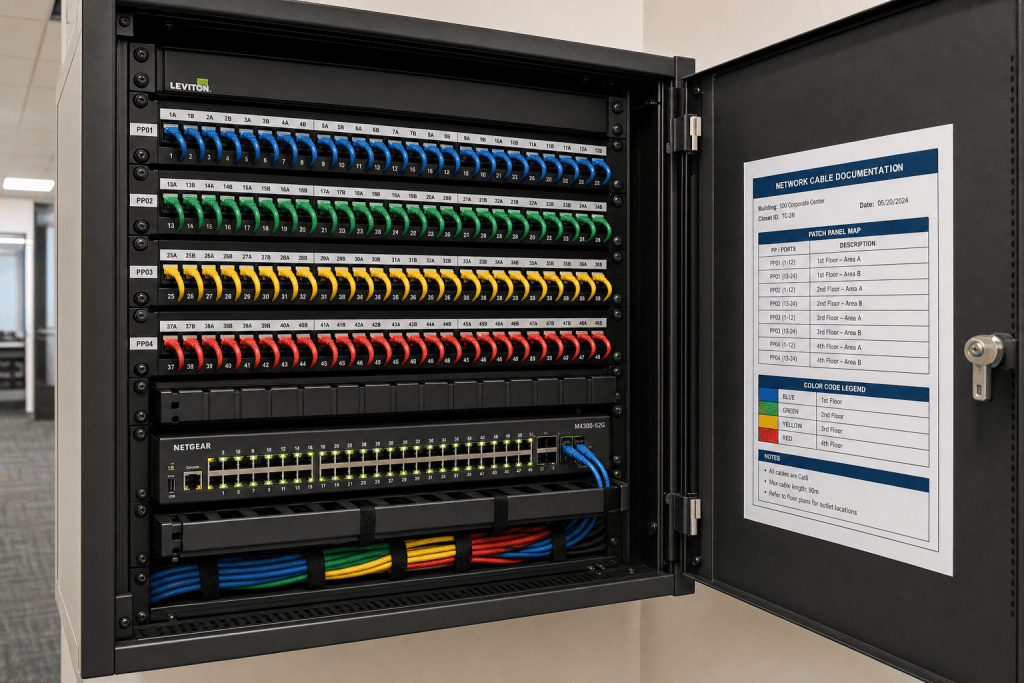
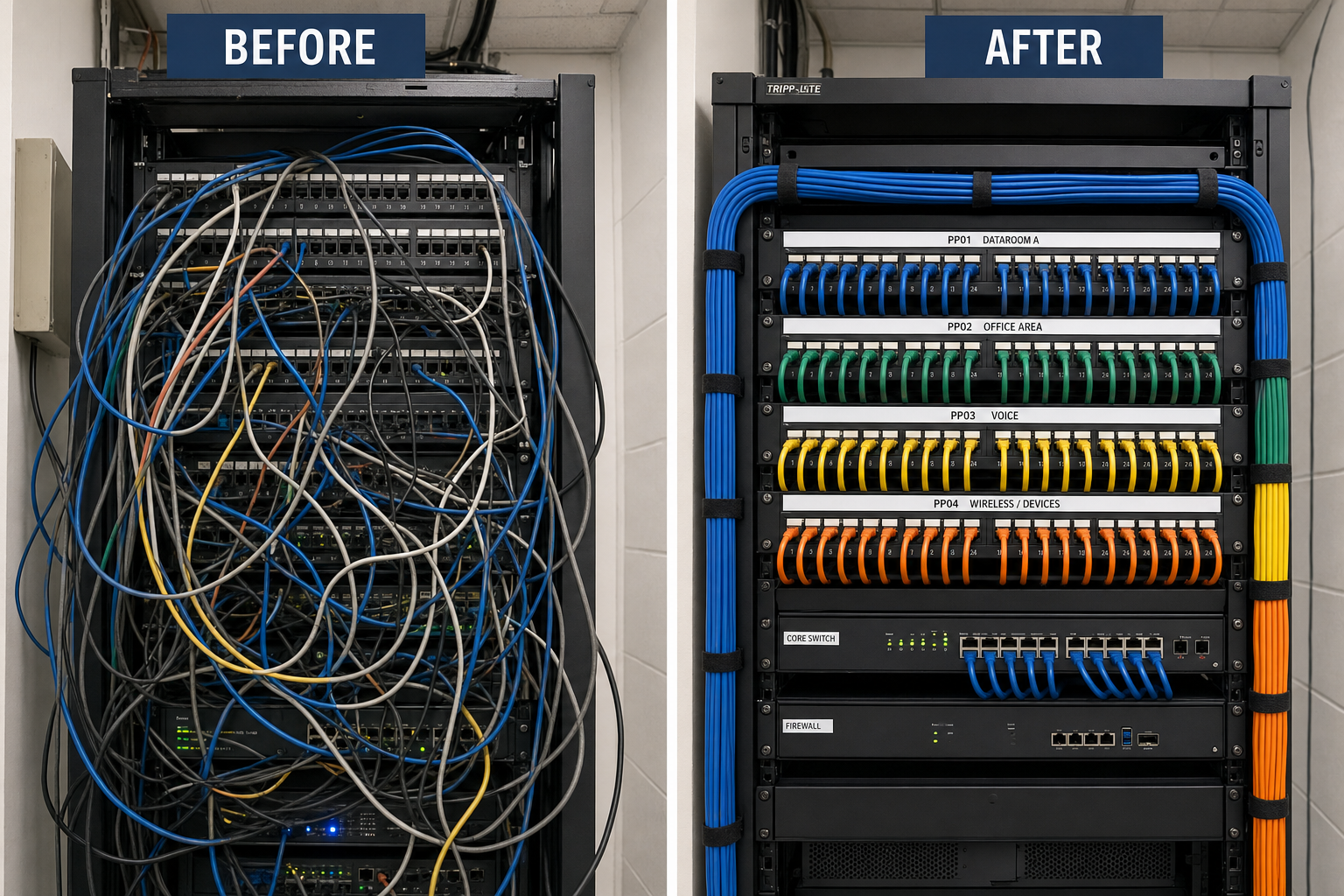
A 30-desk move is the right time to fix the network closet, not just add to it. If your closet currently looks like a bowl of spaghetti, adding 30 new patch connections on top of it creates a system that nobody can troubleshoot six months from now.
What a clean closet project includes:
- Removing all dead patch cables and decommissioned runs
- Re-labeling every patch panel port with a consistent naming convention tied to the floor plan
- Using proper patch cable lengths — not six-foot cables for six-inch connections
- Velcro cable management on patch cables, not zip ties that cannot be adjusted
- A printed or digital as-built diagram posted in or near the closet showing which port connects to which desk location
This documentation step is what separates a professional install from a break-fix patch job. When a port goes down six months after the move, the person troubleshooting it should be able to identify the affected desk in under two minutes using the documentation — not spend an hour tracing cables by hand.
Step 5: Coordinate VoIP and IT Alongside Cabling
This is where projects managed by separate vendors fall apart. The cabling team finishes the runs. The IT team shows up and finds the switch VLANs are not configured for the new port assignments. The VoIP provider shows up and finds the phones are on the wrong subnet. Nobody owns the problem and your staff sits at their new desks with no working phones for two days.
When one team handles cabling, managed IT, and hosted VoIP together, the configuration follows the cable. Port assignments, VLAN tagging for voice traffic, DHCP scope adjustments, and phone extension reassignments all happen in the same project window.
VoIP-specific items to confirm before move day:
- Each VoIP phone port is on the correct voice VLAN at the switch level
- QoS settings are in place to prioritize voice traffic over general data traffic
- Phone extensions are mapped to the correct new desk locations in the hosted PBX
- Any new conference room phones or reception phones are provisioned before staff arrive
The FCC provides guidance on VoIP service reliability and 911 requirements that apply to business phone systems. Reviewing FCC VoIP resources is useful context for any business managing a hosted phone system through an office move.
Step 6: Document Everything Before You Leave
Documentation is not optional on a project of this size. It is the deliverable that makes every future move, troubleshooting call, and new hire onboarding faster and cheaper.
Minimum documentation for a 30-desk cabling project:
- Updated floor plan with desk numbers or workstation IDs tied to data drop locations
- Patch panel map showing which panel port connects to which floor location
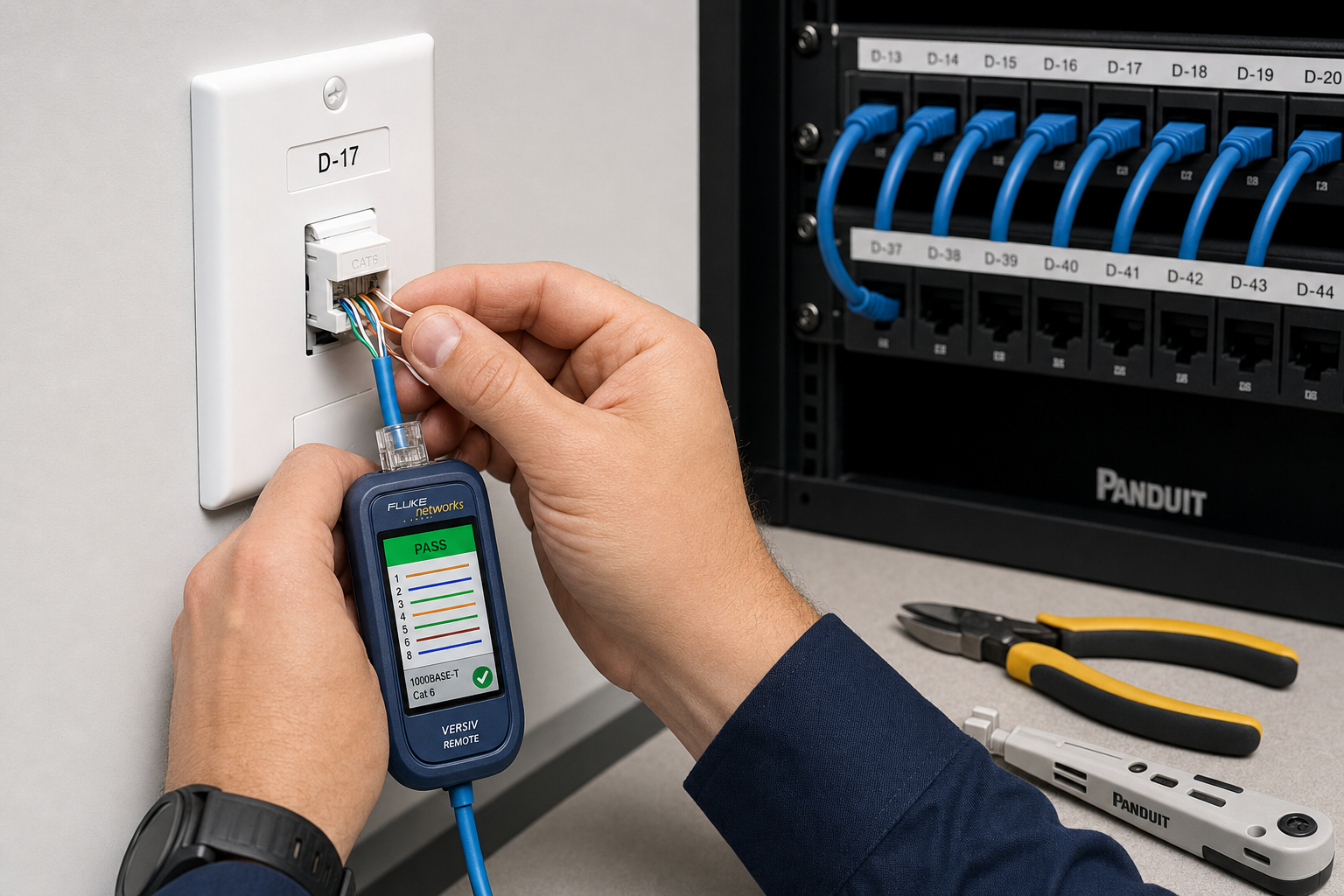
- Cable test results for every new run, confirming pass/fail and cable category
- Switch port assignment sheet showing which switch port serves which desk or device
- Network closet photo showing the finished, labeled patch panel
This documentation should live somewhere your IT team and your cabling vendor can both access — a shared drive, a ticketing system, or a printed binder in the network closet. The format matters less than the fact that it exists and is accurate.
Common Mistakes That Derail Office Cabling Projects
These are the problems Mynians gets called in to fix after a move has already gone sideways. Knowing them in advance is how you avoid them.
- Skipping the audit and assuming existing drops are live: Unlabeled or dead ports discovered after desks are in place mean emergency runs at premium rates.
- Treating cabling as the last item on the move checklist: Cabling needs to be done before furniture arrives, not after. Scheduling it last guarantees delays.
- Using consumer-grade patch cables for permanent runs: Patch cables are not a substitute for properly terminated horizontal runs. They fail faster and perform worse.
- Not accounting for wireless access point uplinks: Moving desks often means moving the coverage zones where APs need to be. New AP locations need hardwired uplinks, not just power.
- Hiring separate vendors for cabling, IT, and VoIP: Coordination failures between vendors are the single most common cause of multi-day outages after an office move.
- No post-move testing: Every port, every phone, and every workstation should be confirmed live before the project is closed out. Discovering a dead drop three weeks after move day is a much harder fix.
CISA publishes guidance on network infrastructure resilience that applies directly to how businesses should think about their physical cabling layer. Reviewing CISA network security resources reinforces why physical infrastructure quality is a security and uptime issue, not just a convenience issue.
Frequently Asked Questions
How long does a structured cabling project for 30 desks typically take?
The timeline depends on how many new runs are needed and the condition of the existing infrastructure. A project where most drops already exist and only need to be audited, labeled, and patched correctly can be completed in one or two days. A project that requires 20 or more new horizontal runs through a commercial ceiling will typically take two to four days depending on building access and scheduling. The pre-move audit is what gives you an accurate timeline before work begins.
Can we just use Wi-Fi for the new desk positions instead of running new cable?
For general workstation use, Wi-Fi can cover desks that do not have a nearby data drop. However, VoIP phones perform significantly better on a wired connection — wireless VoIP is more susceptible to call quality issues, especially in offices with high device density. Workstations running large file transfers, video editing, or database applications also benefit from wired connections. Wi-Fi is a supplement to structured cabling, not a replacement for it at this scale.
What cable category should we use for new runs in a 30-desk office?
Cat6 is the current practical standard for most commercial office environments and supports 10 Gbps at shorter distances with headroom for future bandwidth needs. Cat6A supports 10 Gbps at the full 100-meter horizontal run distance and is worth considering if you are running cable to areas near the maximum distance limit or if you anticipate significant bandwidth growth. Cat5e is still functional but is not recommended for new installations — the cost difference between Cat5e and Cat6 is small and the performance gap is meaningful over the life of the installation.
What happens to our VoIP phone extensions when desks move?
In a hosted VoIP system, extensions are assigned to users in the cloud PBX, not to physical ports. This means a phone can be moved to a new desk and the extension follows the user once the phone is plugged into a properly configured port on the correct voice VLAN. The cabling team needs to confirm the new port is on the voice VLAN, and the VoIP administrator needs to confirm the phone is provisioned correctly. When both happen in the same project window, the transition is clean. When they are handled by separate teams on separate schedules, extensions go missing and calls drop.
Does Mynians serve offices outside of Winter Garden?
Yes. Mynians serves businesses across Central Florida including Orlando, Winter Garden, Tampa, Miami, and Jacksonville. If your office is in the region and you are planning a desk reorganization or cabling project, reach out and we will confirm coverage for your location.
Update Log
- May 2026: Created and reviewed for Mynians managed IT, hosted VoIP, and structured cabling accuracy.
Next step
Ready to see what managed IT would cost your business?
Calculate your MSP base in about a minute, review the written agreement, and sign online, or call the Winter Garden team and talk it through first.

