


Bad Office Wiring Is Killing Productivity

Bad Office Wiring Is Killing Productivity
If your team is dealing with dropped video calls, dead Wi-Fi corners, or file transfers that crawl, the problem probably isn’t your internet plan. It’s the cabling inside your walls. Office network cabling issues are one of the most overlooked causes of daily productivity loss for Florida businesses — and one of the easiest to fix when you work with the right team.
Signs Your Office Cabling Is the Problem
Business owners often spend months chasing the wrong fix. They upgrade their internet plan, replace the router, call their ISP, and still deal with the same dropped calls and slow connections. Here’s what actually points to a cabling problem:
- Dropped VoIP calls or choppy audio — especially at certain desks or in specific rooms
- Wi-Fi dead spots that don’t improve no matter how many access points you add
- Slow file transfers between workstations or to a local server
- Intermittent connection drops that seem random but follow a pattern by location
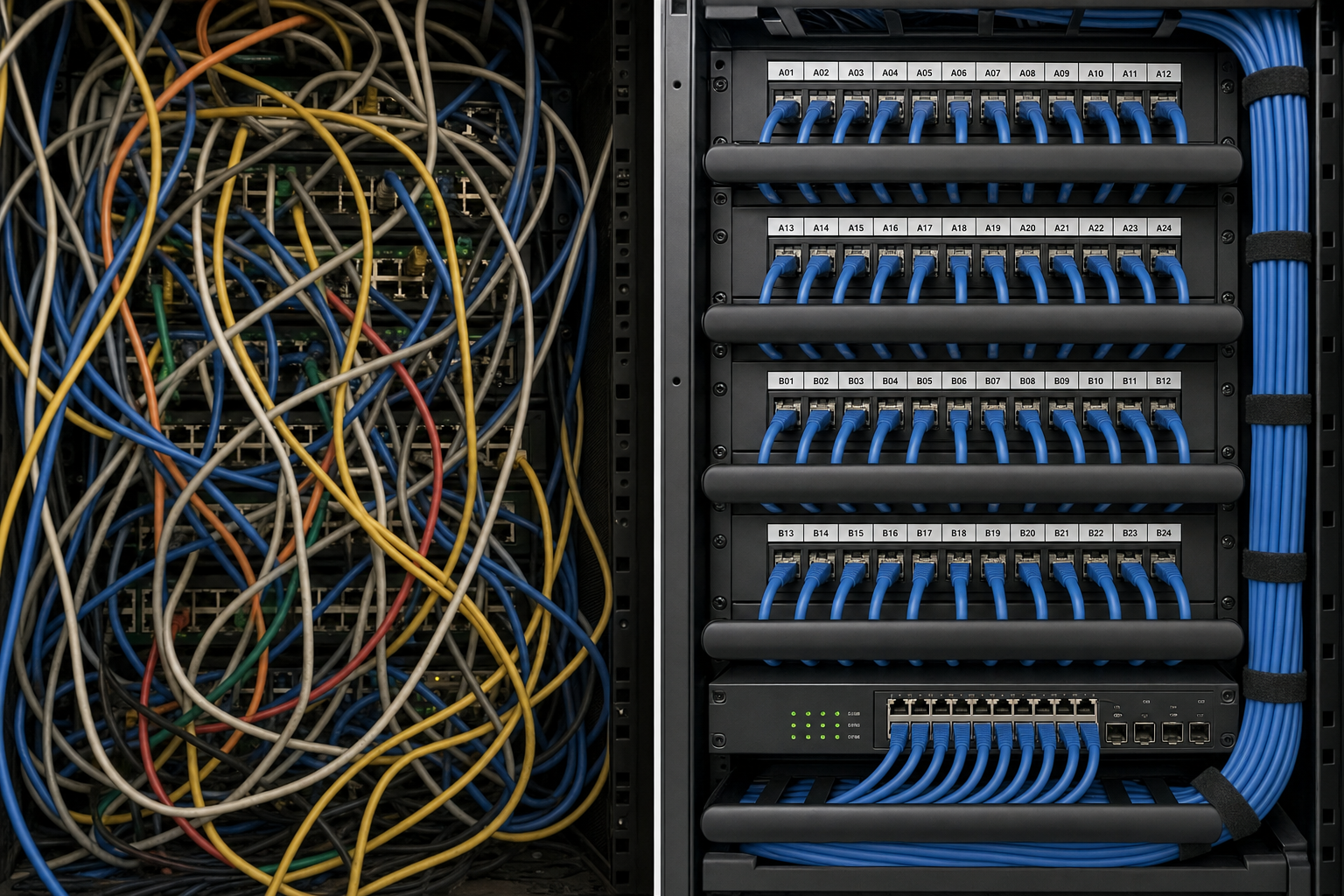
- Network closet chaos — unlabeled cables, tangled runs, no documentation
- Speeds at the wall jack that don’t match your ISP speeds even with a direct connection
- Cabling installed during a build-out by a general contractor with no IT oversight
Any one of these is worth investigating. More than two, and you almost certainly have a structured cabling problem that no software fix will solve.
Your Options: Honest Side-by-Side
Before you decide how to handle office network cabling issues, here’s a plain-language look at your real options as a Florida business owner.
| Option | What You Get | What You Risk | Best For |
|---|---|---|---|
| Mynians (local structured cabling + managed IT) | Certified cabling install, full documentation, one team for IT + VoIP + cabling, flat-rate pricing | Minimal — one accountable vendor | Businesses that want it done right the first time |
| National IT provider | Brand recognition, sometimes lower per-unit pricing | Overseas support, slow dispatch, no local accountability, separate cabling subcontractor | Large enterprises with internal IT staff |
| DIY / in-house | Low upfront cost | No certification, no documentation, voided warranties, future troubleshooting nightmare | Very small offices with minimal connectivity needs |
| Break-fix contractor | Cheap per-visit cost | No proactive monitoring, reactive only, inconsistent quality, no documentation | Businesses willing to accept repeated downtime |
| Separate cabling + IT + VoIP vendors | Specialized focus per vendor | Vendor finger-pointing, coordination delays, no single point of accountability | Businesses with dedicated IT staff to manage vendors |
Who This Is For — and Who It’s Not
This article is for you if:
- You run a business in Central Florida — Orlando, Winter Garden, Tampa, Miami, Jacksonville, or surrounding areas
- Your office has 5 or more workstations and you’re noticing connectivity problems that affect daily work
- You’ve been in your current space for more than five years and the cabling has never been assessed
- You’re planning an office move, expansion, or renovation and want to do it right this time
- Your VoIP phone system is dropping calls or producing poor audio quality
- You have a network closet that looks like a bowl of spaghetti
This is NOT for you if:
- You’re a solo operator working from home with a single workstation
- Your office was fully rewired within the last three years with certified Cat6 or Cat6A and you have documentation to prove it
- You have a dedicated internal IT team actively managing and certifying your cabling infrastructure
What Goes Wrong With Old Office Wiring
Network cabling isn’t just wire. It’s a system. When any part of that system is compromised, the whole network suffers. Here are the most common failure points Mynians finds in Central Florida offices:
1. Cable Category Mismatch
Cat5e was the standard for years. It supports up to 1 Gbps at 100 meters — on paper. In practice, older Cat5e runs that were installed without proper bend radius, stapled too tightly, or run near electrical conduit degrade significantly. Modern cloud applications, hosted VoIP, and video conferencing demand consistent throughput. Cat6 or Cat6A is the current standard for new installs, supporting 10 Gbps at shorter runs and providing far better crosstalk rejection.
2. Improper Terminations
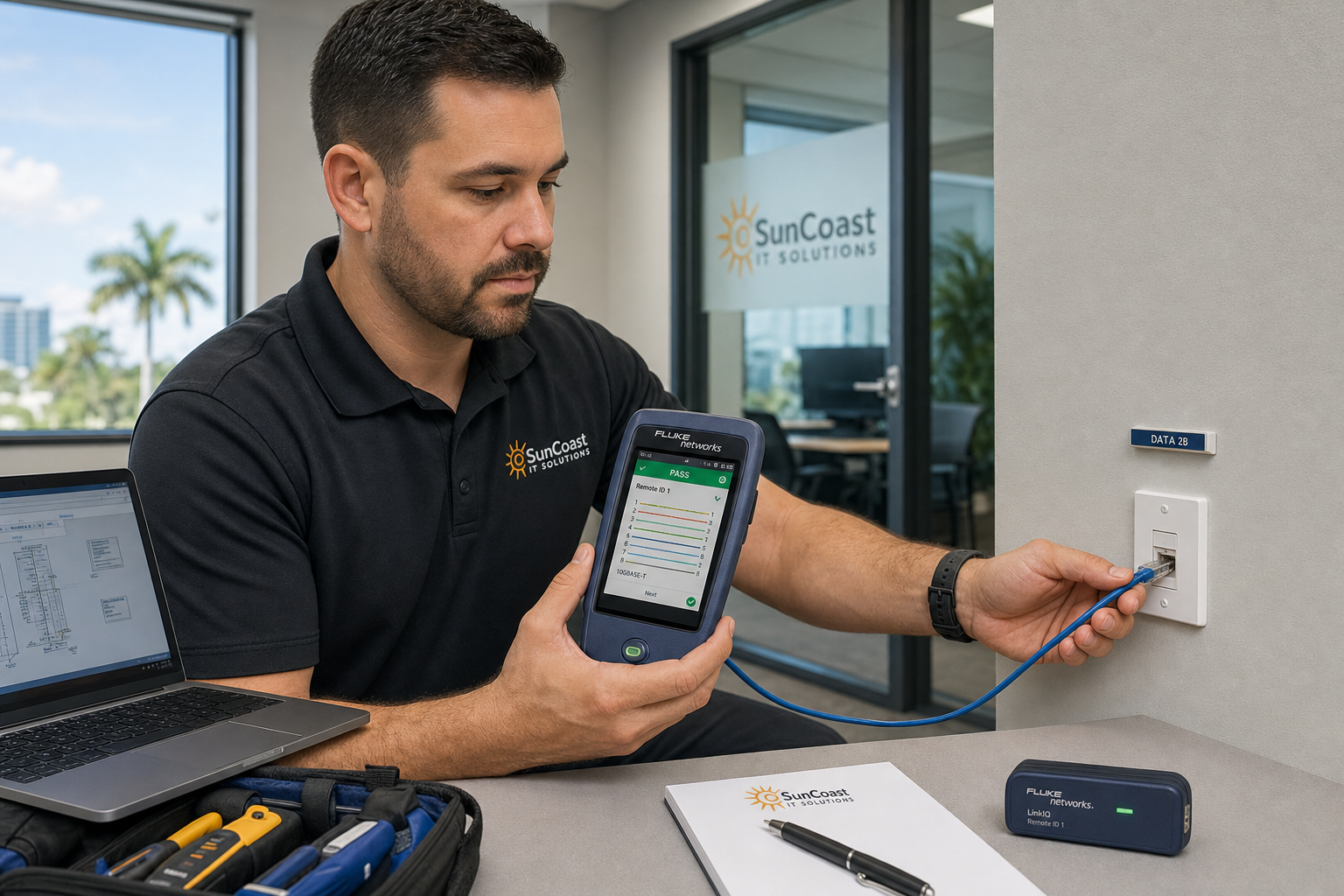
A cable is only as good as its termination. Keystones and patch panel ports that were punched down incorrectly — wrong pair order, untwisted too far, or using the wrong tool — introduce signal loss and intermittent failures that are nearly impossible to diagnose without a cable certifier. This is extremely common in offices where a general contractor or handyman ran the cabling during a build-out.
3. No Documentation
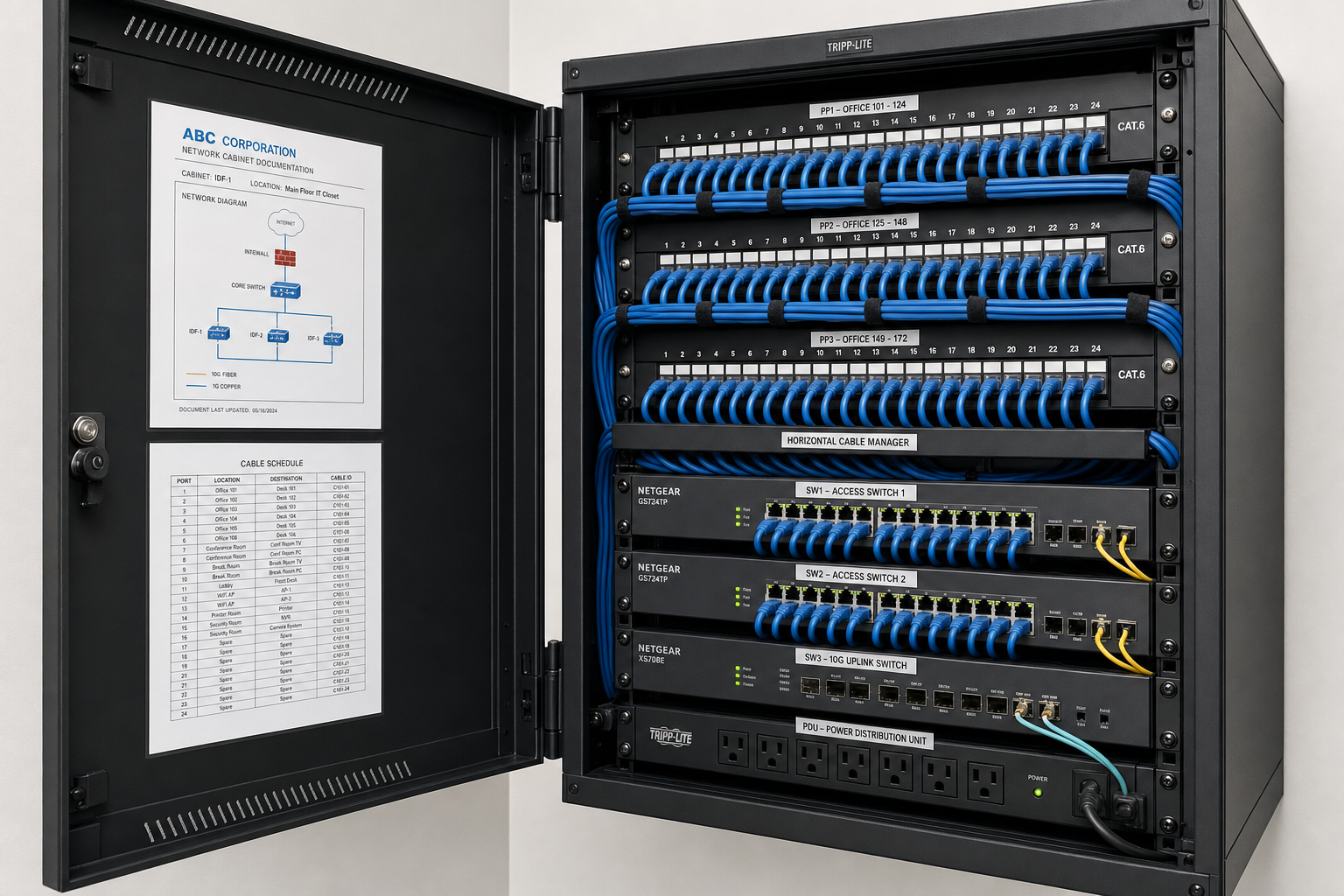
If your cabling has no labels, no floor plan, and no port-to-jack mapping, every future troubleshooting call becomes a guessing game. Technicians spend hours tracing cables instead of fixing problems. Proper documentation — a labeled patch panel, a cable schedule, and a simple floor plan — cuts troubleshooting time dramatically and is a basic deliverable on any professional cabling job.
4. Physical Damage
Florida offices deal with renovation work, pest control, and HVAC maintenance that can nick or crush cables inside walls and ceilings. A single pinched cable run can cause intermittent drops that look like a software or ISP problem for months.
5. Daisy-Chained Network Switches
When offices grow organically, it’s common to find consumer-grade switches plugged into other switches, creating network loops, broadcast storms, and unpredictable slowdowns. This is a cabling and network design problem that a proper structured cabling project addresses at the same time.
Cabling Standards That Actually Matter
Professional structured cabling follows published industry standards. The two most relevant for commercial office environments are TIA-568 (published by the Telecommunications Industry Association) and the installation guidelines maintained by BICSI, the professional association for information and communications technology. These standards define cable categories, maximum run lengths, bend radius, termination methods, and testing requirements.
The IEEE 802.3 Ethernet standards define what your cabling must support at the physical layer — including 802.3ab (Gigabit Ethernet over copper) and 802.3an (10-Gigabit Ethernet). If your cabling can’t meet these specs under real-world conditions, your network will underperform regardless of what equipment you connect to it.
From a security standpoint, the Cybersecurity and Infrastructure Security Agency (CISA) includes physical network infrastructure in its guidance on protecting critical business systems. Unsecured or undocumented cabling is a physical security risk, not just a performance issue.
What a Structured Cabling Project Looks Like With Mynians
Mynians has been doing this work across Central Florida for over two decades. Here’s what a real cabling project looks like from start to finish — no surprises, no subcontractors you’ve never met, no bills you didn’t expect.
Step 1: Assessment
We start by walking your space. We look at your existing cabling, your network closet, your switch configuration, and your VoIP setup. We test cable runs with a certifier, not just a basic toner. We document what’s there and what’s failing.
Step 2: Project Plan
You get a written scope of work before anything starts. It covers cable category, number of drops, patch panel layout, switch placement, labeling convention, and timeline. Flat-rate pricing means the number on the proposal is the number on the invoice.
Step 3: Installation
Our technicians run new cabling through walls, ceilings, and conduit. Every run is properly supported, with correct bend radius and separation from electrical. Keystones and patch panels are terminated and tested. The network closet gets cleaned up — not just the new work, but the existing mess too.
Step 4: Certification and Documentation
Every run is tested with a cable certifier and the results are saved. You get a labeled patch panel, a port-to-jack map, and a floor plan showing every drop. This documentation lives with your IT records and makes every future troubleshooting call faster and cheaper.
Step 5: Handoff and Ongoing Support
Because Mynians also handles managed IT and hosted VoIP, we don’t hand you off to a different team after the cabling is done. The same people who ran your cable know your network. When something needs attention six months later, you call one number: (407) 374-2782.
Common Objections Answered
“Can’t we just add more Wi-Fi access points?”
Wi-Fi access points are only as good as the wired connection feeding them. If the cable run to your access point is degraded or undersized, adding more APs won’t fix the problem — it will just spread it around. Wireless is the last hop, not the backbone.
“This sounds expensive.”
Structured cabling is a one-time capital investment with a long service life. The cost of repeated downtime, lost billable hours, and emergency break-fix calls adds up fast. Mynians provides flat-rate project pricing so you know the full cost before work begins — no surprise bills.
“How long will it take?”
Most small-to-mid-size office cabling projects in Central Florida take one to three days depending on scope. We schedule around your business hours when possible to minimize disruption.
“What if we’re planning to move offices?”
That’s actually the best time to do this right. Mynians handles office relocation cabling regularly across Orlando, Winter Garden, Tampa, and surrounding areas. Starting fresh in a new space with properly installed and documented cabling means you don’t inherit someone else’s problems.
“Why not use a national provider?”
National providers typically subcontract local cabling work to whoever is available. You get a different technician every time, no continuity, and an overseas support desk when something goes wrong. Mynians is local. Real technicians, real answers, and someone who actually knows your building.
Frequently Asked Questions
How do I know if my office cabling is Cat5e or Cat6?
The cable category is usually printed on the jacket of the cable itself. If you can see the cable in your network closet or at a wall plate, look for text like “Cat5e,” “Cat6,” or “Cat6A” printed along the length of the cable. If there’s no labeling or you can’t access the cable, a technician can test the cable’s performance characteristics with a certifier to determine what it’s actually capable of.
Can bad cabling affect VoIP call quality?
Yes, directly. VoIP is sensitive to packet loss, jitter, and latency — all of which increase when cabling is degraded or improperly terminated. If your team is experiencing choppy audio, dropped calls, or one-way audio on specific phones or in specific rooms, the cable run feeding that area is a primary suspect. This is especially common in offices where VoIP phones were added to an existing cabling plant that was never designed for voice traffic.
What is cable certification and do I need it?
Cable certification is the process of testing each cable run with a specialized instrument that verifies the run meets the performance specifications for its rated category — including parameters like insertion loss, return loss, crosstalk, and propagation delay. It’s different from a simple continuity test. If you’re installing Cat6 cabling, certification confirms it actually performs to Cat6 standards. Mynians includes certification on structured cabling projects and provides the test results as part of your documentation package.
How many network drops does my office need?
The general rule is a minimum of two drops per workstation — one for the computer and one for a VoIP phone or spare. Conference rooms typically need four to six drops plus dedicated runs for wireless access points. A proper assessment of your floor plan and headcount will give you an accurate number. Underbuilding now means expensive adds later.
Does Mynians serve businesses outside of Winter Garden?
Yes. Mynians serves businesses across Central Florida including Orlando, Winter Garden, Tampa, Miami, and Jacksonville. If you’re unsure whether your location is in our service area, call us at (407) 374-2782 or reach out through our contact page and we’ll let you know quickly.
Publication date
November 1, 2026
Next step
Ready to see what managed IT would cost your business?
Calculate your MSP base in about a minute, review the written agreement, and sign online, or call the Winter Garden team and talk it through first.

