

Co-Managed IT for Lean Teams Over 30 Users
You have an internal IT person — maybe two. Your user count just crossed 30, and the tickets, onboarding requests, security alerts, and phone system issues are not slowing down. Co-managed IT services for 30+ users give your team the backup it needs without handing over control. Here is how it works, what to watch out for, and how to decide if it is the right move for your Florida business.
What Co-Managed IT Actually Means
Co-managed IT is a partnership model. Your internal IT staff keeps ownership of the systems, the relationships, and the strategy. The co-managed provider fills in the gaps — monitoring, after-hours coverage, security tooling, helpdesk overflow, on-site dispatch, and documentation — without taking over.
This is different from fully outsourced managed IT, where the provider runs everything. It is also different from break-fix support, where you call someone only when something is already broken. Co-managed IT is proactive, structured, and built around your existing team’s strengths.
For a business with 30 to 100 users and one or two internal IT staff, this model is often the most practical path to reliable uptime without the cost of hiring additional full-time employees.
Co-Managed IT vs. Your Other Options
Before committing to any support model, it helps to see the tradeoffs clearly. The table below compares the most common options for a Florida business with 30 to 75 users.
| Support Model | Internal Control | Coverage Gaps | Cost Predictability | On-Site Availability | Best Fit |
|---|---|---|---|---|---|
| Co-Managed IT (Mynians) | High — your team leads | Filled by partner | Flat-rate monthly | Yes, local techs | Lean internal team, 30–150 users |
| Fully Managed IT | Low — provider leads | Minimal | Flat-rate monthly | Depends on provider | No internal IT staff |
| In-House Only | Full | High — one person can’t cover everything | Salary + tools + licenses | Yes, but limited hours | Small teams under 20 users |
| Break-Fix / On-Call | Full | Very high — reactive only | Unpredictable hourly billing | Delayed response | Very small offices, low risk tolerance |
| National MSP (Remote Only) | Medium | Medium | Flat-rate monthly | Rarely — overseas or remote | Businesses without local needs |
| Separate Vendors (IT + VoIP + Cabling) | Medium | High — gaps between vendors | Multiple invoices, unpredictable | Varies | Nobody — creates finger-pointing |
Who This Is For
Co-managed IT services for 30+ users are a strong fit if any of the following describe your situation:
- You have one or two internal IT staff handling everything from helpdesk tickets to server maintenance to onboarding new hires.
- Your user count has grown past 30 and tickets are backing up, especially during busy periods or when your IT person is out.
- You need after-hours monitoring but cannot justify hiring a second full-time employee for coverage alone.
- Your Microsoft 365 environment, network, or phone system has grown without proper documentation and you know it.
- You have had a security incident, a ransomware scare, or a compliance conversation that made you realize your current setup is not enough.
- You are opening a second office in the Orlando area, Tampa, or elsewhere in Florida and need structured cabling and network setup handled properly.
- Your VoIP phone system is managed by a separate vendor who points fingers at your IT team when call quality drops.
Who This Is NOT For
Co-managed IT is not the right model for every business. It is probably not a fit if:
- You have no internal IT staff and need someone to own everything end-to-end. In that case, fully managed IT is the better starting point.
- Your internal IT lead is resistant to outside involvement and will not collaborate with a co-managed partner. The model only works when both sides communicate.
- You have fewer than 15 users and a very simple network. The overhead of a co-managed arrangement may not be justified at that scale.
- You are looking for the cheapest possible option with no interest in documentation, monitoring, or proactive security. Co-managed IT requires some investment in doing things right.
What Gets Covered in a Co-Managed Arrangement
The exact scope depends on what your internal team already handles well and where the gaps are. A well-structured co-managed agreement typically covers some combination of the following:
Monitoring and Alerting
Your co-managed partner deploys remote monitoring and management (RMM) tools across your endpoints, servers, and network devices. Alerts fire before users notice problems. Patch management runs on a schedule instead of whenever someone remembers.
Helpdesk Overflow
When your internal tech is on-site handling a server issue, helpdesk tickets still need answers. Co-managed helpdesk overflow means users get a real response instead of waiting hours for one person to finish what they are doing.
Cybersecurity Layers
Endpoint detection, email filtering, multi-factor authentication enforcement, and security awareness training are difficult for a one-person IT team to manage consistently. A co-managed partner brings the tooling and the process. The Cybersecurity and Infrastructure Security Agency (CISA) and the National Institute of Standards and Technology (NIST) both publish frameworks that responsible co-managed providers use as a baseline.
Microsoft 365 Administration
License management, conditional access policies, Teams configuration, SharePoint permissions, and Intune device enrollment are time-consuming. Co-managed support handles the administrative overhead so your internal team is not buried in the Microsoft admin portal.
VoIP Phone System Management
If your business runs hosted VoIP, your phone system and your network are the same infrastructure. When call quality drops, you need one team that can look at both — not two vendors blaming each other. Mynians manages hosted VoIP alongside IT so there is no finger-pointing when something goes wrong.
Structured Cabling and On-Site Work
Remote support has limits. When you are moving offices, adding a conference room, or expanding a floor, someone has to run cable correctly. Mynians handles structured cabling installs across Central Florida — clean runs, proper labeling, and documentation that does not disappear when a contractor leaves.
IT Documentation
A co-managed partner should maintain living documentation of your network, credentials, configurations, and vendor contacts. If your internal IT person leaves tomorrow, that documentation is what keeps the business running.
Problems Lean IT Teams Run Into at 30+ Users
If your business has grown past 30 users and your IT team has not grown with it, these problems are likely already showing up:
- Ticket backlog: One tech cannot triage, resolve, and document every issue across 30+ endpoints while also handling projects and vendor calls.
- No after-hours coverage: Servers do not care that it is 11 PM on a Friday. Without monitoring, outages go undetected until Monday morning.
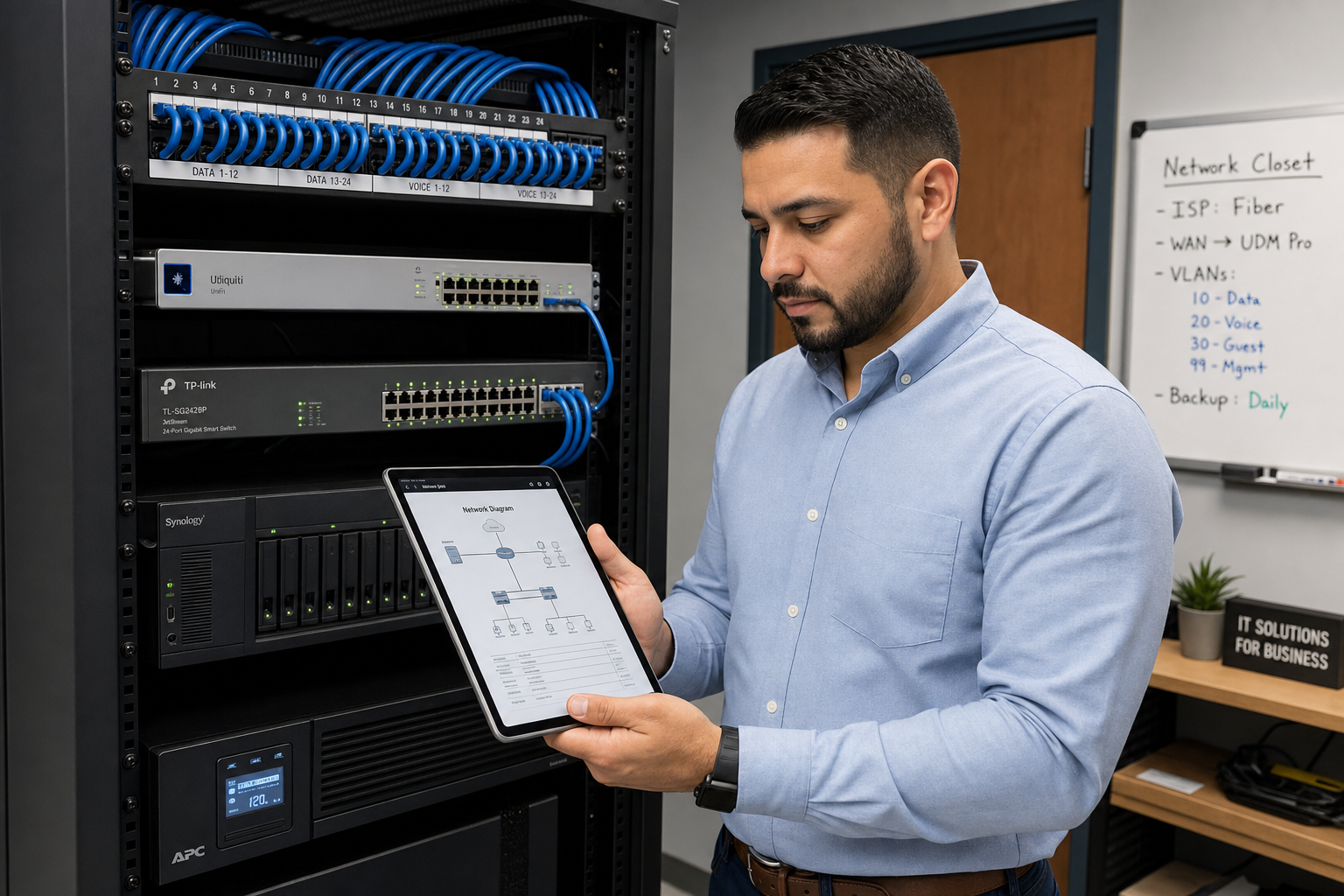
- Messy network closets: Cabling that was never documented, switches that were never labeled, and patch panels that nobody can trace are a liability when something breaks.
- Security gaps: Patch cycles slip. MFA is not enforced everywhere. Endpoint protection is inconsistent. These are the conditions that lead to ransomware incidents.
- Vendor finger-pointing: Your internet provider blames your firewall. Your VoIP vendor blames your network. Your internal tech is stuck in the middle with no leverage.
- Staff onboarding delays: New hires wait days for accounts, devices, and access because the IT queue is already full.
- No documentation: The only person who knows how the network is configured is the one person you cannot afford to lose.
How Implementation Works
A co-managed IT engagement does not start with a long contract and a six-month onboarding process. Here is a practical picture of how it typically unfolds:
Step 1: Discovery and Assessment
Mynians starts with a free IT assessment. We look at your current environment — endpoints, servers, network gear, cabling, phone system, Microsoft 365 configuration, and security posture. We document what exists and identify the gaps your internal team is carrying.
Step 2: Define the Scope
Not every co-managed client needs the same coverage. Some need helpdesk overflow and monitoring. Others need full security stack management and VoIP support. We define exactly what Mynians handles and what your internal team owns so there is no confusion.
Step 3: Tool Deployment
We deploy RMM agents, endpoint protection, and documentation tools. This is typically done remotely with minimal disruption to your users. On-site work is scheduled for anything that requires physical access.
Step 4: Ongoing Operations
From there, co-managed IT runs as a background layer. Your internal team handles what they handle. Mynians covers the gaps, responds to escalations, manages the security stack, and shows up on-site when something needs hands on it.
Step 5: Regular Reviews
We meet with your internal IT lead on a regular cadence to review open items, upcoming projects, and anything that needs attention. This keeps both teams aligned and prevents issues from falling through the cracks.
Cost, Setup Time, and Common Objections
“We already have an IT person. Why would we pay for more support?”
Because one person cannot be everywhere at once. Co-managed IT is not a vote of no confidence in your internal tech — it is the infrastructure that lets them do their job without burning out or leaving gaps. The alternative is hiring a second full-time employee, which costs significantly more than a co-managed arrangement and still does not give you 24/7 monitoring or on-call coverage.
“How much does it cost?”
Mynians uses flat-rate pricing. You know what you are paying each month. There are no surprise bills when a server needs attention or a ticket takes longer than expected. The exact rate depends on your user count, scope, and what your internal team already covers. The free IT assessment is the fastest way to get a real number.
“How long does setup take?”
For most businesses in the 30 to 75 user range, initial tool deployment and documentation can be completed within a few weeks. There is no extended downtime and no disruption to daily operations.
“What if our internal IT person does not want outside help?”
This is a real concern and worth addressing directly. Co-managed IT works best when the internal tech sees the partner as backup, not competition. Mynians works with your internal team, not around them. We take direction from your IT lead on priorities and escalate back to them on anything that requires their authority.
“What happens if we outgrow co-managed IT?”
As your team grows, the scope of co-managed support can adjust. Some businesses eventually hire additional internal staff and reduce the co-managed footprint. Others scale up. Flat-rate pricing means the arrangement stays predictable either way.
Why Local Support Matters in Florida
A national MSP with a remote helpdesk in another time zone cannot walk your server room, pull a bad cable, or sit with your team during a network migration. When something breaks at your Winter Garden, Orlando, or Tampa office, you need a technician who can be there — not a ticket number and a callback window.
Mynians has been working with Central Florida businesses for over two decades. Our technicians are local. When you call (407) 374-2782, you reach real people who know the area, know the common infrastructure problems Florida businesses deal with, and can dispatch on-site when remote support is not enough.
We serve businesses across Winter Garden, Orlando, Tampa, Miami, and Jacksonville. Whether you are managing a single office or coordinating IT across multiple Florida locations, having one team for IT, VoIP, cabling, and security means one point of contact and no vendor finger-pointing.
For businesses with compliance considerations, the Federal Trade Commission and CISA both publish guidance on data protection and cybersecurity practices that apply to small and mid-sized businesses. A co-managed partner with documented processes helps you stay aligned with those expectations without building a compliance program from scratch.
Structured cabling standards from BICSI define what a properly installed and documented cabling infrastructure looks like. When Mynians handles your cabling, we follow those standards — not whatever was fastest for the last contractor who touched your network closet.
Frequently Asked Questions
What is the difference between co-managed IT and fully managed IT?
Fully managed IT means the provider owns and operates your entire IT environment. Co-managed IT means your internal team stays in control and the provider fills specific gaps — monitoring, helpdesk overflow, security tooling, on-site support, or whatever your team needs backup on. Co-managed is designed for businesses that already have internal IT staff but need more coverage than one or two people can provide alone.
How does co-managed IT handle our existing tools and systems?
A good co-managed partner works within your existing environment. Mynians assesses what tools you already have, identifies gaps, and deploys additional tooling only where it is needed. We do not rip and replace systems that are working. We document what exists and build around it.
Can co-managed IT include VoIP phone system support?
Yes. Mynians manages hosted VoIP alongside IT infrastructure, which means your phone system and your network are supported by the same team. When call quality drops or a phone stops registering, there is no separate vendor to call and no finger-pointing between providers.
What happens during staff onboarding and offboarding?
Co-managed IT can include onboarding and offboarding workflows — account creation, device setup, Microsoft 365 licensing, access provisioning, and secure offboarding when employees leave. This takes the repetitive administrative work off your internal tech’s plate so they can focus on higher-priority items.
Does Mynians provide on-site support or only remote?
Mynians provides both. Remote support handles the majority of day-to-day issues, but our technicians are local to Central Florida and can dispatch on-site when something requires physical hands — cabling, hardware replacement, network closet work, or office moves. We serve businesses across Winter Garden, Orlando, Tampa, Miami, and Jacksonville.
How is co-managed IT priced?
Mynians uses flat-rate monthly pricing. The rate is based on your user count and the scope of services your internal team needs covered. There are no surprise bills for tickets that take longer than expected or for monitoring alerts that fire overnight. The free IT assessment is the starting point for getting a real number for your specific environment.
Update Log
- May 2026: Created and reviewed for Mynians managed IT, hosted VoIP, and structured cabling accuracy.
