

30-Day Managed IT Overhaul for Small Business
30-Day Managed IT Overhaul for Small Business
You just took over a business — or finally decided enough is enough with the patchwork IT setup your company has been running on for years. The network closet looks like a bowl of spaghetti. Nobody knows the Wi-Fi password. The phones drop calls. And the last IT person left without documenting anything. This 30-day managed IT overhaul plan is built for exactly that situation. It is practical, week-by-week, and written for busy business owners and operations managers in Central Florida who need real answers, not a sales pitch.
Who This Is For — and Who It Is Not
This plan is built for you if:
- You recently took over a business and inherited a messy, undocumented IT setup.
- Your team is dealing with slow internet, dropped VoIP calls, or unreliable Wi-Fi.
- You have no idea what equipment you own, what software licenses are active, or who your IT vendor even is.
- You are opening a new office in the Orlando, Winter Garden, Tampa, or Jacksonville area and need everything built right from the start.
- You have had a security incident, a ransomware scare, or a compliance flag and need to clean house fast.
- You are tired of calling three different vendors and getting blamed by each one.
This plan is NOT for you if:
- You have a fully staffed internal IT department with current documentation and a working security stack.
- You are a large enterprise with a dedicated IT director and multi-year infrastructure contracts already in place.
- You are looking for a one-time fix with no ongoing support — that approach tends to put you right back where you started within six months.

Your Options: Managed IT vs. DIY vs. Break-Fix vs. National Provider
Before committing to a 30-day overhaul plan, it helps to understand what your real options are. Here is an honest comparison for a small business in Central Florida.
| Option | Setup Speed | Ongoing Support | Documentation | Local On-Site Help | Pricing Clarity | Best For |
|---|---|---|---|---|---|---|
| Mynians Managed IT (local MSP) | Availability and timing per written scope | Proactive, flat-rate | Full clean documentation | Yes — real local techs | Published base and separate labor rates | Small businesses wanting one team for everything |
| National MSP / Big-Box IT | Slow — onboarding queues | Reactive, tiered | Varies widely | Rarely — overseas help desk | Complex contracts | Large enterprises with dedicated IT staff |
| DIY / In-House | Very slow — no bandwidth | Only when staff has time | Usually none | Yes, but limited expertise | Hidden labor costs | Tech-savvy owners with simple setups |
| Break-Fix (call when broken) | N/A — reactive only | None — pay per incident | None | Sometimes | Unpredictable bills | Very small offices with minimal IT needs |
| Separate Vendors (IT + VoIP + cabling) | Slow — coordination overhead | Fragmented | Inconsistent | Depends on vendor | Multiple invoices | Businesses willing to manage multiple relationships |
For most small businesses in the Orlando metro area, a local managed IT provider that handles IT, VoIP, cabling, and cybersecurity under one roof is the fastest path to a stable, documented system — and the clearest path to predictable monthly costs.
Week 1: Audit and Document Everything
You cannot fix what you cannot see. Week one is entirely about discovery — no changes, no upgrades, no new equipment yet.
What gets audited
- Network hardware: routers, switches, access points, firewalls — make, model, firmware version, and physical location.
- Cabling: Is it labeled? Is it Cat5e, Cat6, or something older? Are there runs that are damaged, unlabeled, or just hanging loose?
- Servers and workstations: operating system versions, patch status, warranty status, and who has admin access.
- Software and licenses: Microsoft 365 subscriptions, antivirus, line-of-business applications, and any cloud services the business is paying for.
- Phone system: Is it a legacy PBX, a hosted VoIP system, or a mix? Who is the carrier? Are call quality issues documented?
- Backups: Does a backup exist? When did it last run? Has anyone ever tested a restore?
- Security posture: Are there open ports, default passwords, unpatched devices, or shared admin credentials?
- Vendor list: Who do you call for internet, phones, hardware, software support, and cabling? Do you have the account numbers and contacts?
Deliverable at end of Week 1
A complete IT asset inventory and network diagram. This document becomes the foundation for every decision in weeks two through four. Without it, you are guessing.
Week 2: Clean Up and Stabilize
Now that you know what you have, week two is about fixing the immediate problems that are causing daily pain — without disrupting operations.
Network and cabling cleanup
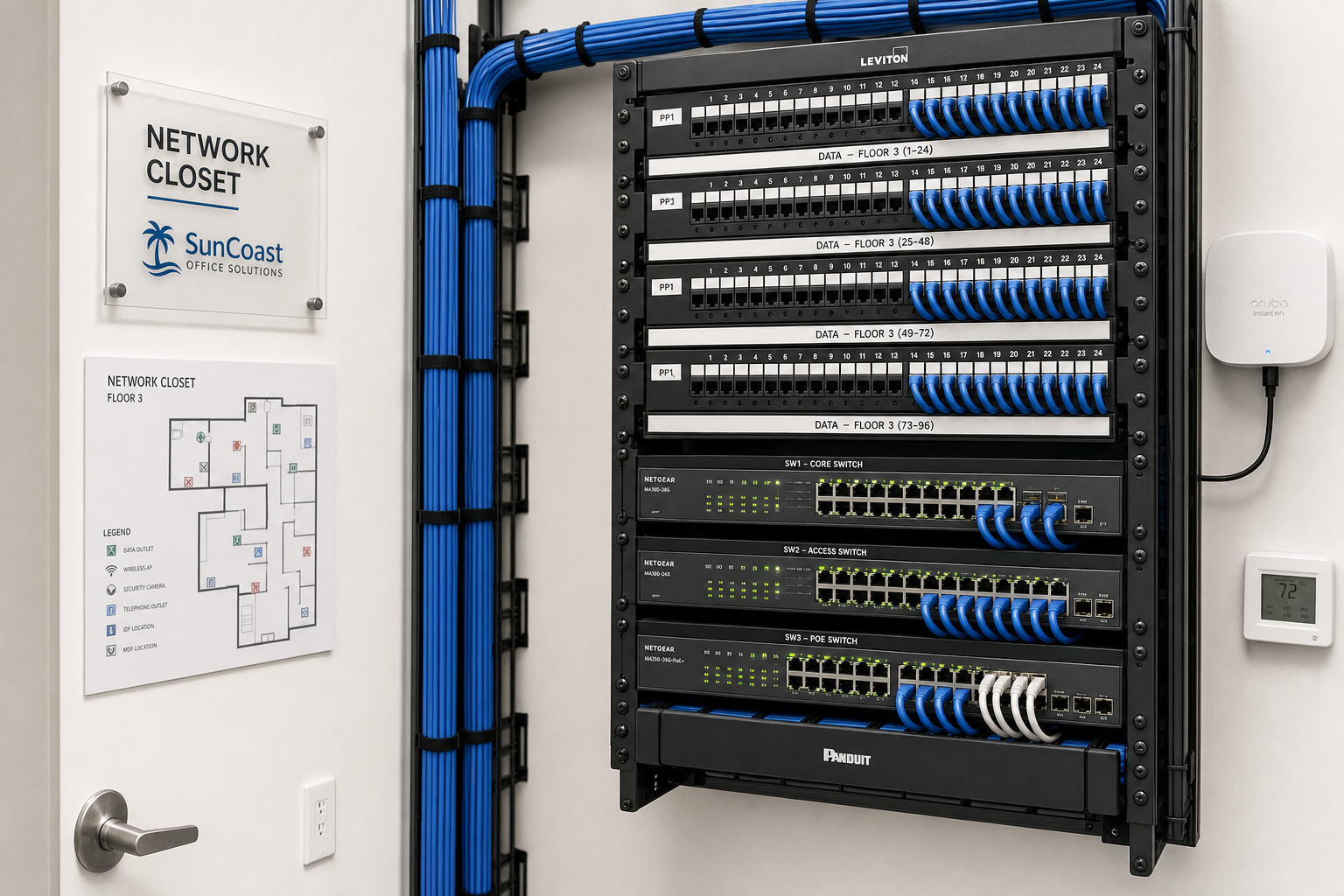
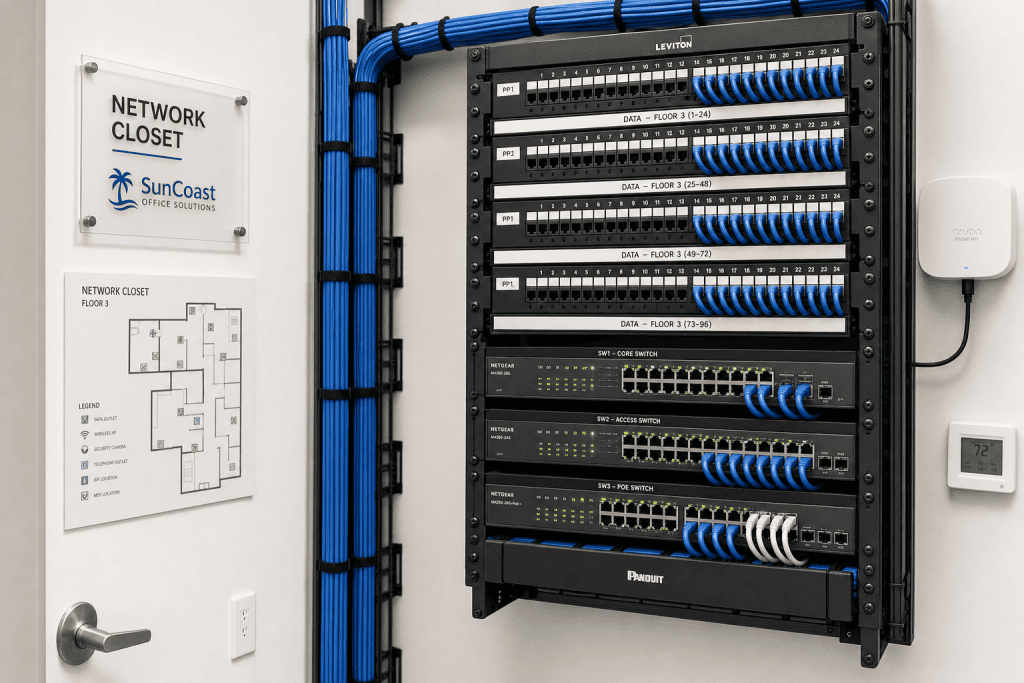
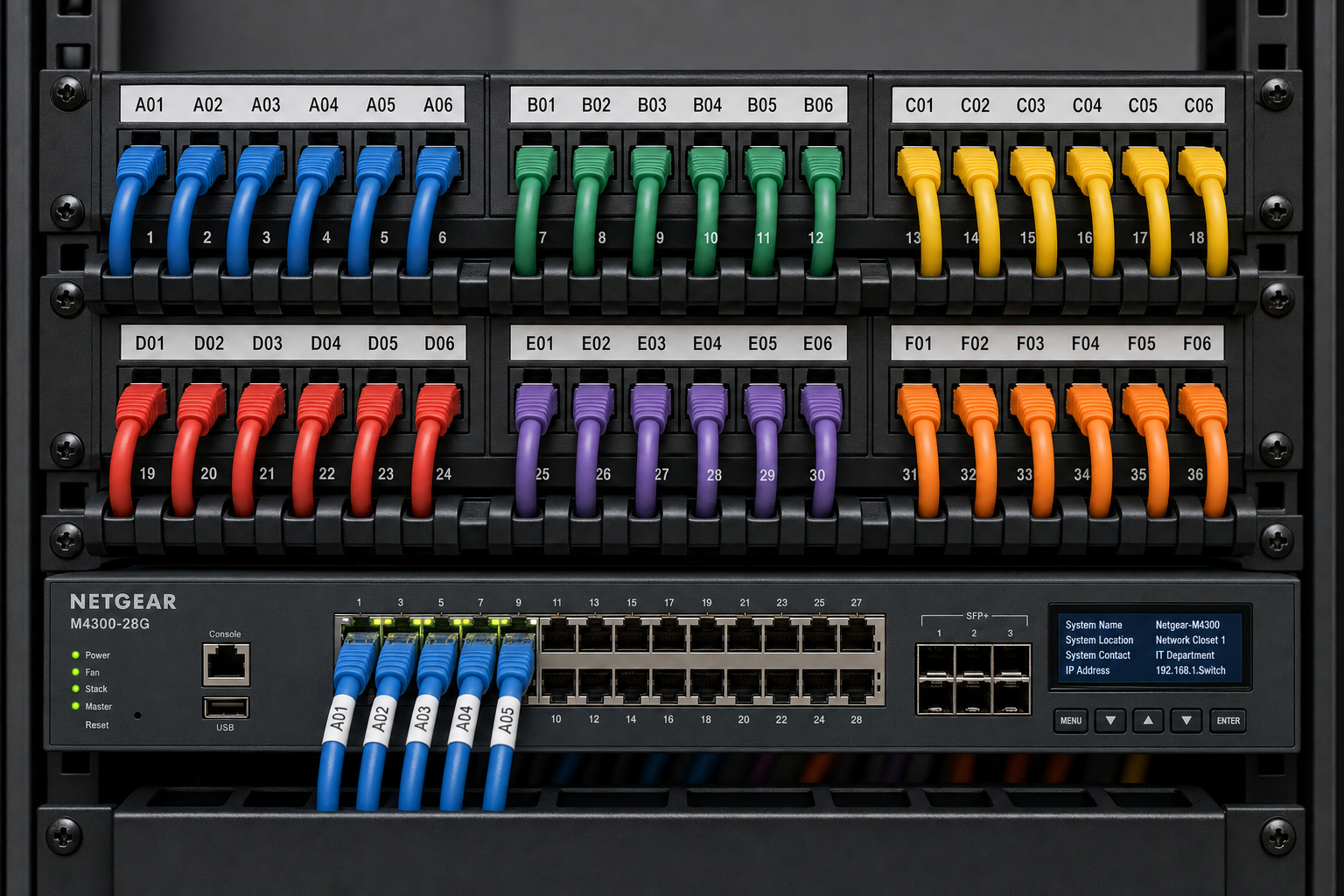
Messy network closets are not just an eyesore. Unlabeled cables cause outages during routine moves, make troubleshooting take three times as long, and create real risks when a tech pulls the wrong cable. Week two includes proper cable management, labeling, and patch panel cleanup. For businesses in Winter Garden, Orlando, or anywhere in Central Florida, Mynians handles structured cabling as part of the same engagement — no separate cabling contractor to coordinate.
Firmware and patch updates
Outdated firmware on routers and switches is one of the most common entry points for attackers. The Cybersecurity and Infrastructure Security Agency (CISA) consistently lists unpatched devices as a top vulnerability for small businesses. Week two includes a controlled update cycle for all network hardware and workstations.
Account and credential cleanup
Former employees with active accounts, shared passwords, and default admin credentials are cleaned up this week. Microsoft 365 user audits, password policy enforcement, and multi-factor authentication setup happen here.
Backup verification
If a backup exists, it gets tested. If it does not exist or has not run in months, a cloud backup solution gets configured this week. A backup you have never tested is not a backup — it is a hope.
Week 3: Security Hardening and VoIP Setup
With the network stable and documented, week three focuses on two areas that directly affect business operations: cybersecurity and communications.
Security hardening
This is not about installing one piece of software and calling it done. Security hardening for a small business includes:
- Firewall rule review and cleanup — most small business firewalls have rules that were added years ago and never removed.
- Network segmentation — separating guest Wi-Fi from internal business traffic.
- Endpoint protection deployment across all workstations and servers.
- Email security configuration — spam filtering, phishing protection, and DMARC/DKIM/SPF record verification for your domain.
- Security awareness basics for staff — phishing is still the number one way attackers get in, and a five-minute briefing can prevent a costly incident.
The NIST Cybersecurity Framework provides a solid baseline for small business security posture. Mynians uses this framework as a reference point during security reviews.
VoIP phone system setup or migration
If your business is still running a legacy PBX or dealing with dropped calls and poor audio quality on a hosted VoIP system that was never configured correctly, week three is when that gets fixed. Hosted VoIP setup includes:
- Number porting from your existing carrier — keeping your business phone numbers.
- Auto-attendant and call routing configuration.
- VoIP desk phone provisioning at each workstation.
- QoS (Quality of Service) settings on the network to prioritize voice traffic and eliminate call quality issues.
- Voicemail-to-email setup so missed calls do not fall through the cracks.
Because Mynians handles both the network and the VoIP system, QoS configuration is done correctly the first time. When your IT provider and your phone provider are two different companies, call quality problems become a blame game that never gets resolved.
Week 4: Managed Support Handoff and Final Documentation
The last week of the overhaul is about making sure everything that was built in weeks one through three is handed off cleanly and set up for ongoing management.
Final documentation package
Every business that goes through a Mynians overhaul ends up with clean, current documentation: network diagrams, asset inventory, vendor contact list, credential vault setup, and a summary of what was changed and why. This documentation belongs to you — not locked in a vendor’s system.
Monitoring and alerting setup
Remote monitoring tools are configured to watch your servers, network devices, and endpoints. If a drive is failing, a device goes offline, or a security alert fires, the Mynians team sees it before you do — and acts on it before it becomes an outage.
Managed IT onboarding
Staff get a single point of contact for IT support. No more calling three different vendors. No more waiting days for a callback. Flat-rate managed IT pricing means your monthly IT cost is predictable — separate labor charges when something breaks.
30-day review call
At the end of the month, a review call covers what was completed, what is still on the roadmap, and what the ongoing managed IT plan looks like going forward. This is where priorities for the next 90 days get set.

What Can Go Wrong — and How to Avoid It
A 30-day IT overhaul is realistic, but it is not automatic. Here are the most common problems that slow things down or derail the process entirely.
Missing credentials and locked accounts
If the previous IT person or vendor left without handing over admin credentials, recovery takes time. Domain admin passwords, firewall admin access, and Microsoft 365 global admin accounts are the most common bottlenecks. Starting the credential recovery process in week one — before any changes are made — prevents this from blocking week two and three work.
Vendor contracts with long notice periods
Legacy phone systems and internet contracts sometimes have 30 to 60 day cancellation notice requirements. Identifying these in week one means you can give notice at the right time and avoid paying for two systems simultaneously.
Cabling that cannot be salvaged
Some network closets have cabling that is too damaged, too old, or too poorly run to clean up. When that happens, a partial or full recabling is the right call. Trying to patch bad cabling is a short-term fix that causes long-term problems. Mynians handles structured cabling in-house, so there is no delay waiting for a separate contractor.
Scope creep from undiscovered problems
The audit in week one is designed to surface surprises early. But occasionally a business has a server that is far more outdated than expected, or a line-of-business application that requires a specific legacy configuration. When that happens, the right move is to document it, prioritize it, and address it in the managed IT roadmap — not to rush a fix that creates new problems.
Why Local IT Support Matters for Florida Businesses
When something breaks, you need a technician who can be on-site — not a help desk overseas reading from a script. For businesses in Winter Garden, Orlando, Tampa, Miami, and Jacksonville, local on-site support is not a luxury. It is a practical requirement.
Mynians has been working with Central Florida businesses for over two decades. The team knows the local business environment, the common building types, the cabling challenges in older commercial spaces, and the specific internet providers serving each area. That local knowledge speeds up every phase of an overhaul and makes ongoing support more effective.
There is also the accountability factor. A local provider has a reputation to protect in the community. When you call (407) 374-2782, you reach real techs who know your system — not a ticket queue.
The FCC’s Small Business Cyber Planner is a useful reference for understanding baseline cybersecurity expectations for small businesses. Mynians uses frameworks like this to make sure nothing critical is missed during a security review.
For businesses that want to understand structured cabling standards, the Building Industry Consulting Service International (BICSI) sets the industry standards for low-voltage cabling installations — the same standards Mynians follows on every cabling job.
Ready to get a clear picture of where your IT stands? Start with a free assessment at mynians.com/contact-us or call (407) 374-2782.
Frequently Asked Questions
How long does a managed IT overhaul actually take for a small business?
For most small businesses with five to fifty employees, a full IT overhaul — covering network cleanup, cabling, VoIP setup, security hardening, and managed support onboarding — is realistic within 30 days. The timeline depends heavily on how much documentation exists at the start and whether any vendor contracts or credential recovery issues slow down the early phases. Starting with a thorough audit in week one keeps the rest of the project on track.
Will the overhaul cause downtime for my business?
A well-planned overhaul minimizes downtime significantly. Most changes — firmware updates, account cleanup, backup configuration, and monitoring setup — happen without interrupting operations. Cabling work and phone system migrations are scheduled during off-hours or low-traffic periods when possible. The goal is to fix the system without stopping the business.
What does managed IT cost for a small business in Florida?
Managed IT pricing varies based on the number of users, devices, and services included. Mynians uses flat-rate pricing, which means your MSP base is predictable; user-requested support, troubleshooting, and project work add separate charges. The best way to get an accurate number for your specific business is to start with a free IT assessment — that conversation gives both sides a clear picture of what is needed and what it will cost.
Do I need to replace all my hardware during an overhaul?
Not necessarily. The audit in week one identifies which hardware is still serviceable and which is end-of-life or creating security risks. Many businesses find that their core switches and workstations are fine with updated firmware and configuration. Hardware replacement is prioritized based on risk and business impact — not replaced wholesale just to sell new equipment.
Can Mynians handle VoIP and cabling as part of the same project?
Yes. Mynians handles managed IT, hosted VoIP, and structured cabling under one roof. This matters because VoIP call quality depends on proper network configuration and clean cabling infrastructure. When one team owns all three, problems get solved faster and there is no vendor finger-pointing when something does not work correctly.
What happens after the 30-day overhaul is complete?
After the overhaul, your business moves into ongoing managed IT support. This includes proactive monitoring, patch management, help desk support, and regular check-ins to stay ahead of problems before they cause outages. You also have a documented IT environment — something most small businesses have never had — which makes every future change faster and less risky.
Update Log
- May 2026: Created and reviewed for Mynians managed IT, hosted VoIP, and structured cabling accuracy.
Next step
Ready to see what managed IT would cost your business?
Calculate your MSP base in about a minute, review the written agreement, and sign online, or call the Winter Garden team and talk it through first.

