

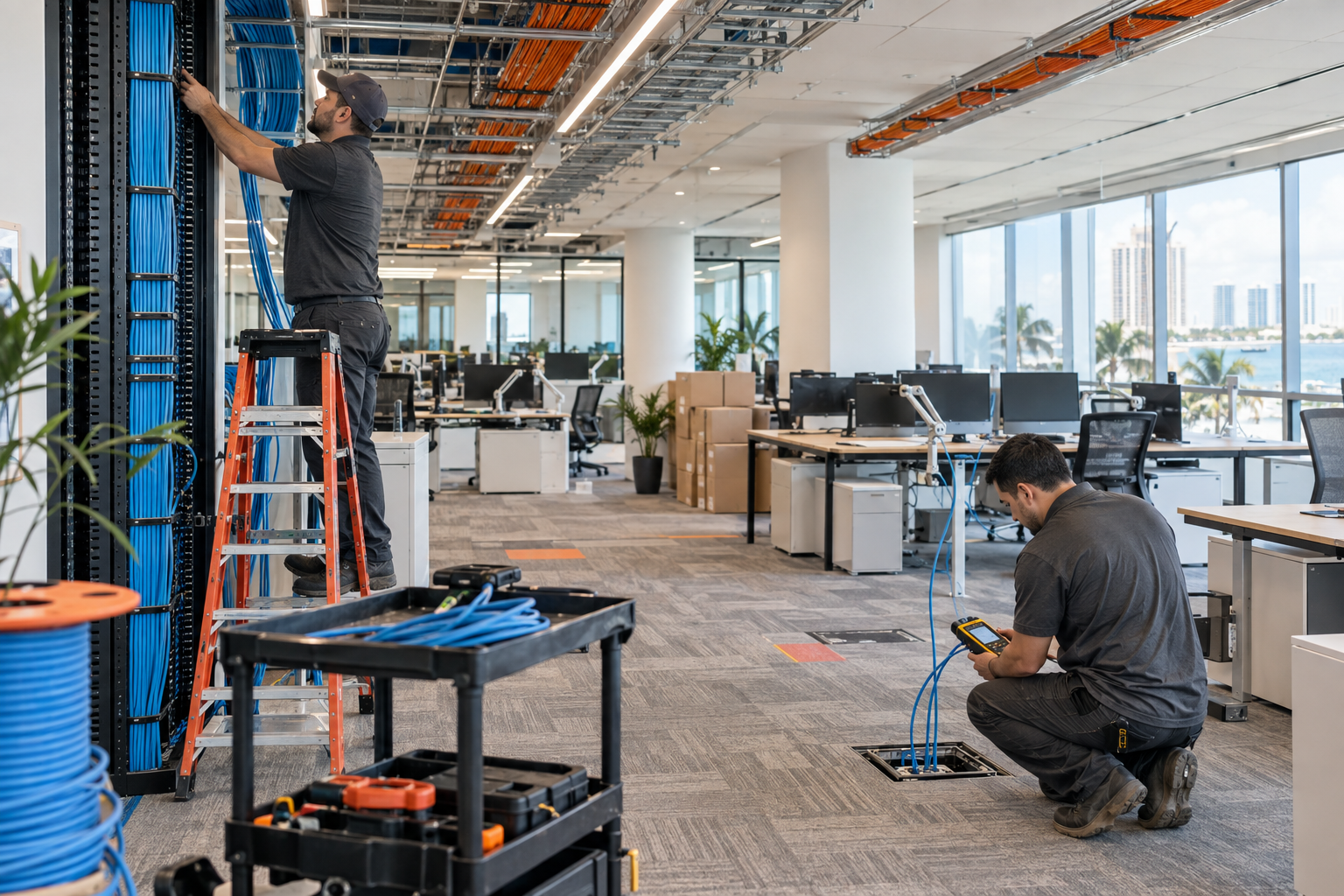
30 Desk Moves? Time for a Cabling Overhaul
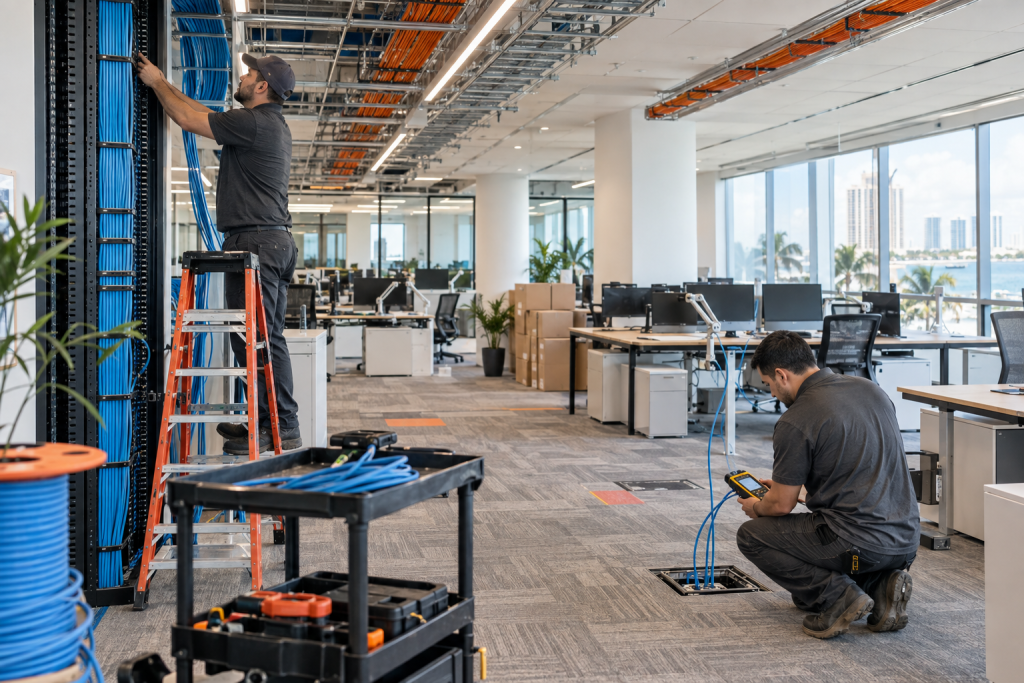
If your office has gone through around 30 desk moves or additions, the issue usually is not just cable clutter anymore. It is often a sign that your office network infrastructure has been patched, extended, and reworked enough times that reliability, documentation, phone quality, and future growth all start to suffer. For office managers in Central Florida dealing with crowded suites, outdated buildouts, and constant adds and changes, this is usually the point where a structured cabling overhaul becomes easier to justify than another round of temporary fixes.
Who this is for
This guide is for office managers, operations leaders, and business owners with expanding teams in cluttered or outdated office spaces. It is especially relevant if your business in Winter Garden, Orlando, Tampa, Miami, Jacksonville, or elsewhere in Central Florida keeps adding desks faster than the cabling plan can keep up.
Who this is NOT for
If you only added a couple of desks and your cabling is still documented, labeled, and easy to troubleshoot, you may only need a few clean runs and a small network closet cleanup. This article is also not aimed at residential wiring or one-off break-fix patching.
Why 30 desk moves is a tipping point for office cabling
There is nothing magical about the exact number 30. The real issue is accumulation. After enough moves, adds, and changes, you stop having a structured system and start having layers of workarounds. That is when new hires wait on ports, phones get moved without proper testing, patch panels stop matching reality, and troubleshooting takes far longer than it should.
In many Florida offices, growth happens in bursts. A company takes over the suite next door, rearranges departments, adds a few hybrid workstations, installs more VoIP phones, and stretches older low-voltage cabling one more time. The office still functions, but the risk goes up every month.
Your practical options
| Option | Best for | Pros | Risks |
|---|---|---|---|
| Mynians integrated cabling + IT + VoIP | Growing Florida offices that need a project plan and one accountable team | Real techs, real answers; clean installs; proper documentation; one team for IT, VoIP, cabling, and security; published base pricing with separate support and project charges | Requires planning and a defined scope instead of quick patchwork |
| National provider | Large multi-state standardization projects | Broad coverage footprint | Slower local response, outsourced handoffs, less familiarity with your office history |
| DIY or in-house patching | Very small adds in well-documented spaces | Low upfront spend | Inconsistent labeling, messy closets, capacity issues, more downtime later |
| Break-fix cabling vendor | Single urgent cable run | Can address immediate problem fast | No bigger infrastructure plan, no coordination with Wi-Fi, phones, or managed IT |
| Separate cabling, phone, and IT vendors | Businesses already locked into multiple providers | Specialized scopes | Finger-pointing when call quality, network drops, or switch issues show up |
If your office has reached the point where every move creates another exception, the integrated approach usually wins. It is built for uptime and avoids the blame loop between cabling, phones, and IT support.
If you want a local team to review your current setup, contact Mynians for a free IT assessment.
The hidden problems caused by patchwork desk moves and adds
Most offices do not notice the full cost of bad wiring until it starts affecting daily operations. A few extra unmanaged switches, unlabeled patch cords, and mystery wall jacks may seem manageable until a phone system issue or network outage hits.
VoIP call quality problems
Poor terminations, damaged cable, overloaded switches, or unclear phone-to-data patching can show up as dropped calls, one-way audio, or random registration issues. The cabling is not always the only cause, but it is often part of the chain.
Slow troubleshooting and onboarding
When a new employee sits down and the wall port is undocumented, your IT team wastes time tracing runs and checking switch ports. That delay stacks up across onboarding, desk changes, and support tickets.
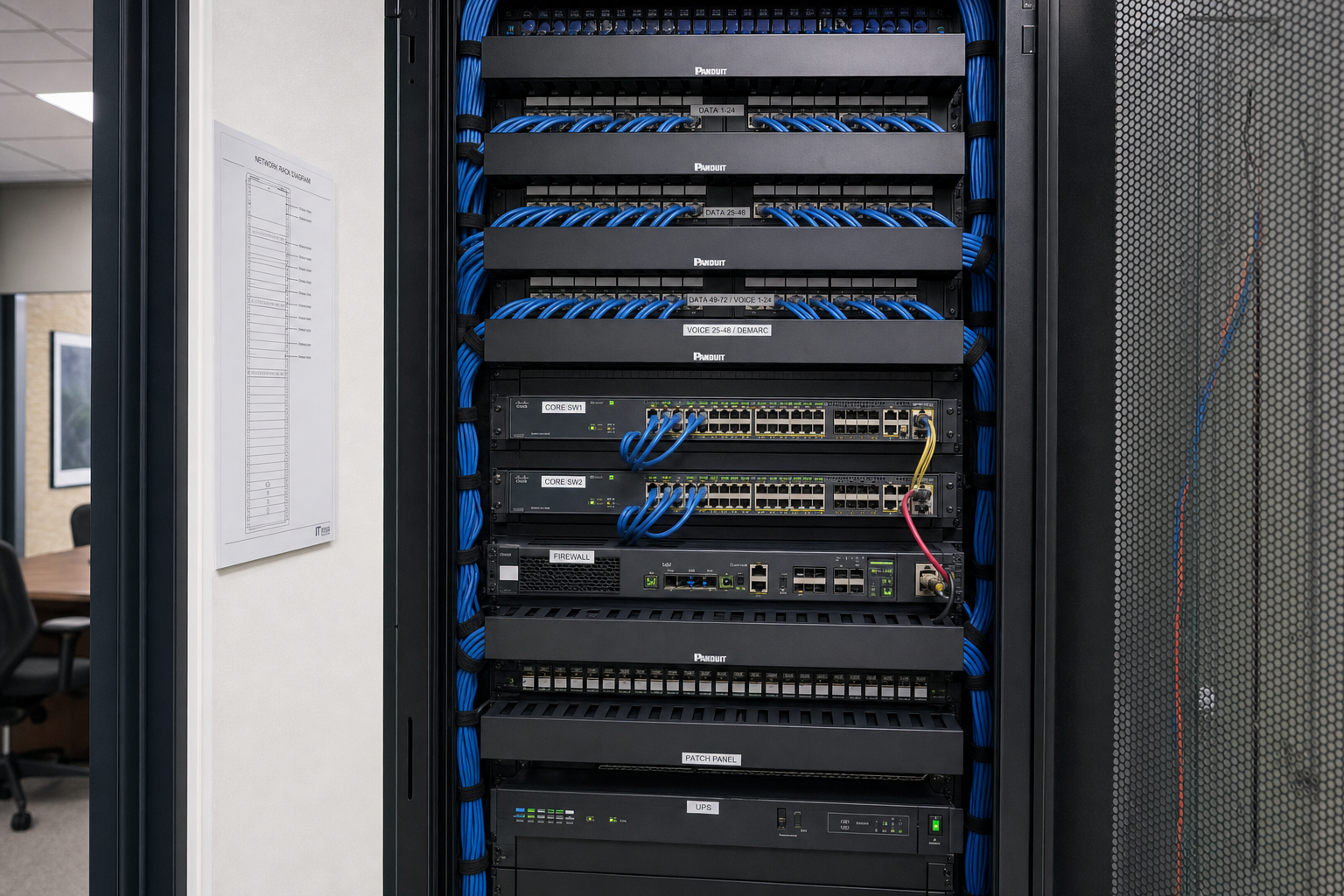
Messy network closets
A network closet with unlabeled patch panels, unsupported bundles, and old jumpers left in place becomes an outage risk. It also makes switch upgrades, firewall changes, and security camera additions harder than they need to be.
Wi-Fi and switch capacity blind spots
Workspace expansion affects more than cabling. More desks can mean more access points, more PoE demand, more switch ports, and different coverage patterns. If no one reviews the whole environment, users feel the pain as unstable Wi-Fi or overloaded infrastructure.
Warning signs your office needs a structured cabling overhaul
- Wall jacks are unlabeled or labels do not match the patch panel.
- Staff report random VoIP phone issues after desk relocations.
- There are extension cords, mini switches, or temporary cable runs under desks.
- Your network closet is full of old patch cords and unknown connections.
- Adding one new desk now requires tracing multiple old runs.
- You are planning a suite expansion, remodel, or department shuffle.
- Your current wiring mix includes aging cable types and inconsistent terminations.
- Different vendors manage phones, IT, and cabling with no single owner.
If several of these sound familiar, you are likely beyond spot fixes and into office cabling upgrade territory.
What a proper cabling overhaul should include
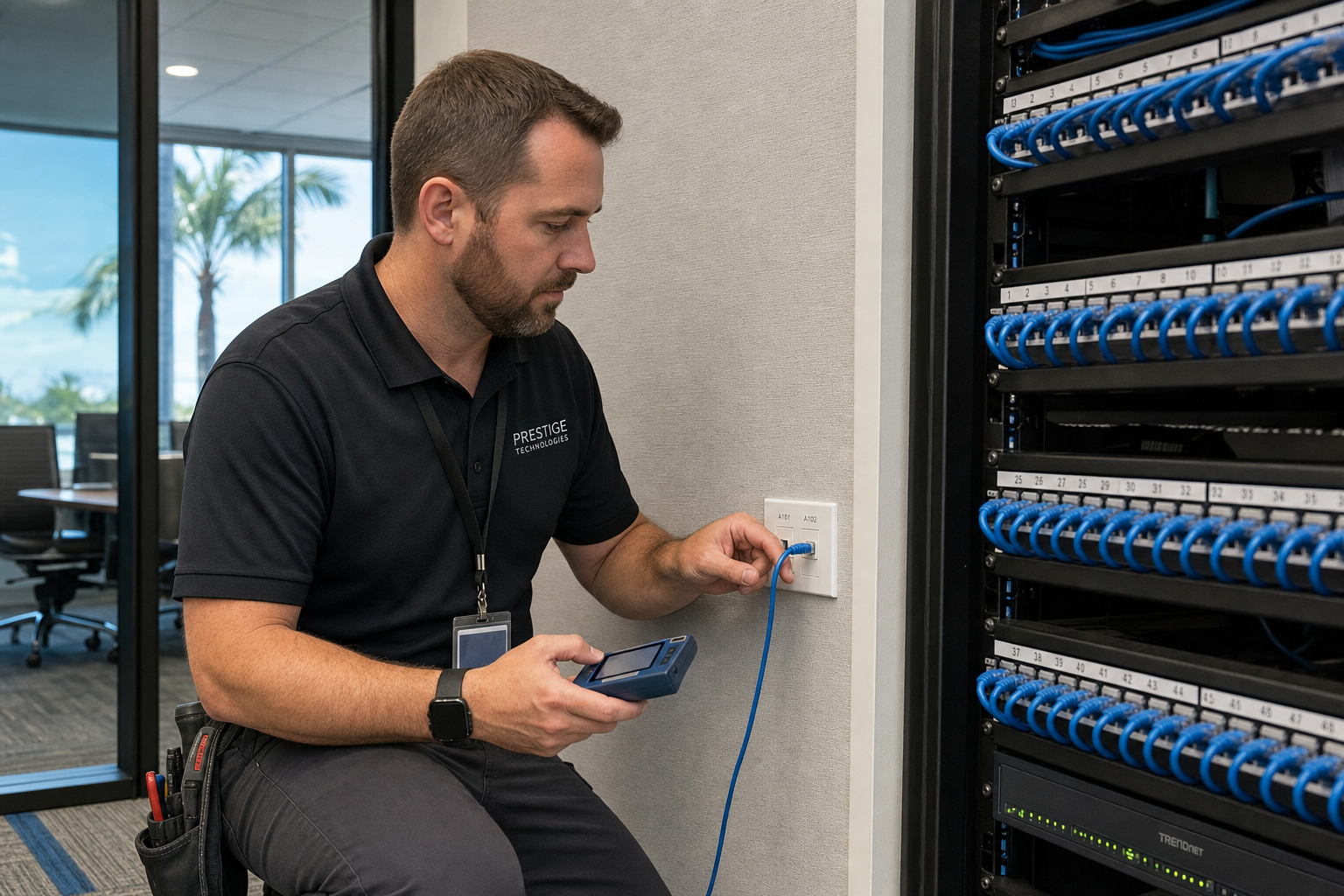
A true structured cabling overhaul after office moves should do more than pull a few new Cat6 lines. It should leave the office easier to support, easier to grow, and easier to secure.
Core project items
- Site walkthrough and documentation of current conditions
- Review of active desks, planned desk additions, and growth needs
- New or corrected Cat6 cabling where needed
- Patch panel organization and cleanup
- Consistent labeling for wall ports, patch panels, and switch ports
- Network closet remediation and cable management
- Switch capacity and PoE review
- VoIP phone wiring validation
- Testing and post-project documentation
Standards-based planning matters here. Resources from organizations like BICSI and networking guidance from IEEE help shape best practices around physical infrastructure and network performance expectations.
What should be labeled?
At minimum, each wall jack, patch panel termination, and corresponding switch port should be clearly labeled using a consistent naming scheme. If phones, wireless access points, cameras, or printers have dedicated drops, those should be identified as well. Good labeling reduces guesswork and shortens every future service call.
How cabling, Wi-Fi, VoIP, and managed IT affect each other
This is where many generic low-voltage pages fall short. Cabling is not a separate island. It directly affects downstream support.
If the physical layer is messy, the consequences hit multiple systems:
- VoIP: poor call reliability, port confusion, and harder troubleshooting
- Wi-Fi: bad access point placement decisions or insufficient backhaul support
- Managed IT: longer ticket resolution times and more recurring user complaints
- Cybersecurity: unknown live ports and undocumented devices create visibility gaps
- Microsoft 365 and cloud apps: users blame the cloud when the local network is the real issue
CISA guidance regularly emphasizes reducing unnecessary exposure and maintaining better visibility into business systems, which is hard to do when your physical network is undocumented and cluttered. See CISA for practical cybersecurity resources.
How to plan a low-disruption cabling project in a busy office
Good planning keeps a cabling overhaul from becoming a business interruption. For active offices, after-hours work is often the right move, especially for closet cutovers, switch changes, or VoIP transitions.
A practical project plan usually includes
- Walkthrough and scoping
- Port counts and future-capacity review
- Closet and pathway assessment
- Labeling standard approval
- After-hours or phased scheduling
- Testing and cleanup
- Updated documentation handoff
For example, a growing office in Orlando or Winter Garden may stage new desk drops in advance, then do the final patch panel cutover after hours so staff arrive to working phones and network ports the next day. That approach reduces downtime and avoids last-minute scrambling.
For VoIP-related moves, official telecom guidance from the FCC is also useful background for business communications planning and service reliability expectations.
What office managers should ask before hiring a cabling provider
- Will you document existing conditions before starting?
- Do you include patch panel organization and network closet cleanup?
- How do you label drops, panels, and switch ports?
- Will you review switch capacity and PoE needs for new desks and phones?
- Can the work be done after hours or in phases?
- Who handles the VoIP and IT side if issues show up after the cutover?
- Will we receive updated documentation after the project?
- Is pricing clear up front, or should we expect surprise bills?
These questions matter because the cheapest cable run is rarely the cheapest outcome if your phones, Wi-Fi, and helpdesk workload all get worse afterward.
When to bundle cabling with network, VoIP, or security upgrades
If you are already touching the walls and the network closet, it often makes sense to review related systems at the same time. Bundling can be especially smart when you are dealing with an outdated phone setup, poor wireless coverage, aging switches, or new surveillance camera needs.
Mynians handles managed IT, hosted/cloud VoIP, structured cabling, cybersecurity, and video security surveillance as one local team. That means fewer handoffs, cleaner planning, and real accountability when everything has to work together. We fix the mess, secure the system, and keep it running.
Frequently Asked Questions
How many desk moves usually justify a structured cabling overhaul?
There is no fixed rule, but around 30 desk moves or additions is often where businesses start seeing repeated operational issues from patchwork wiring. The real trigger is when documentation breaks down, troubleshooting slows, and each new move creates more exceptions.
Can poor cabling really cause dropped VoIP calls and slow network speeds?
Yes. Cabling problems can contribute to call quality issues, unstable links, and inconsistent network performance. They are not always the only cause, but bad terminations, damaged runs, poor patching, and overloaded switching can all play a role.
Is it better to clean up the network closet or fully replace old cabling?
It depends on the condition of the existing system. If the cable plant is still sound and the main problem is disorganization, a closet cleanup and documentation pass may help. If the office has many undocumented changes, aging runs, and growth pressure, a fuller overhaul is usually the better long-term fix.
What should be labeled during a structured cabling project?
Wall jacks, patch panel ports, and switch ports should all be labeled consistently. Dedicated drops for phones, wireless access points, printers, cameras, and conference rooms should be identified clearly as well.
Can a cabling overhaul be done after hours to avoid office downtime?
Yes. Many busy offices schedule closet cutovers, repatching, and final migrations after hours or in phases. That is often the best way to reduce staff disruption and keep business operations moving.
Should we upgrade to Cat6 when adding more desks?
In many business environments, Cat6 is a practical choice for new runs because it supports modern office network needs well and gives you cleaner consistency going forward. The right scope should still be based on your building, current infrastructure, and future plans.
How do office expansions affect Wi-Fi coverage and switch capacity?
More desks usually mean more connected devices, more PoE demand, and possible changes in access point placement. That can require extra switch ports, additional wireless coverage planning, and better closet organization to support growth properly.
Can one provider handle cabling, VoIP, and IT support together?
Yes, and that usually reduces finger-pointing when problems cross between physical wiring, network hardware, and phones. Mynians provides structured cabling, hosted VoIP, managed IT, cybersecurity, and security systems as one local service team.
Update Log
- August 2026: Created and reviewed for Mynians managed IT, hosted VoIP, and structured cabling accuracy.
Next step
Ready to see what managed IT would cost your business?
Calculate your MSP base in about a minute, review the written agreement, and sign online, or call the Winter Garden team and talk it through first.

